

Cámara de video inalámbrica WiFi Xiaomi Smart
Black
$ 4,612.23
Ir directamente a la información del producto


Cámara de video inalámbrica WiFi Xiaomi Smart
$ 4,612.23
🚚 ENVÍO INCLUIDO
El costo de envío ya está incluido en el precio mostrado. No pagarás un cargo adicional por envío.
🚚 Entrega estimada: 7–15 días hábiles.
Nota importante
Este producto es versión china. Para que funcione correctamente, debes seleccionar “Chinese Mainland” como servidor/región dentro de la aplicación. Los servidores de otros países no son compatibles. Por favor, presta especial atención.
Compatibilidad de instalación
Este dispositivo es adecuado para puertas con:
-
Grosor: 35 a 110 mm
-
Diámetro de mirilla: 15 a 40 mm
Almacenamiento compatible
-
Solo admite tarjetas microSD de 16GB a 256GB.
-
Debe ser una tarjeta nueva; si usas una tarjeta antigua, debes formatearla para evitar errores de incompatibilidad.
-
La tarjeta debe ser Clase 10 obligatoriamente.
Cómo conectar el dispositivo a la app Mi Home
1. Configura la región
Antes de añadir el dispositivo, abre la app Mi Home y selecciona: Región: Chinese Mainland
2. Descarga o abre la app Mi Home
-
Puedes escanear el código QR del manual, o
-
Buscar “Mi Home” en la tienda de aplicaciones e instalarla.
3. Enciende el dispositivo
-
Conecta el adaptador al puerto de energía.
-
La cámara se encenderá automáticamente.
-
La luz indicadora se pondrá amarilla fija.
-
Escucharás un mensaje de voz confirmando el encendido.
4. Añade el dispositivo
-
En la pantalla principal de Mi Home, toca el símbolo “+” en la esquina superior derecha.
-
Selecciona Escanear o sigue las instrucciones para detectar el dispositivo.
5. Restablece el dispositivo si es necesario
-
Sigue las indicaciones en pantalla.
-
Selecciona Restablecer dispositivo para iniciar la vinculación.
6. Selecciona la red WiFi
-
Elige WiFi 2.4GHz (no compatible con 5GHz).
-
Presiona Siguiente.
7. Completa la vinculación
Continúa los pasos hasta que la conexión sea exitosa.

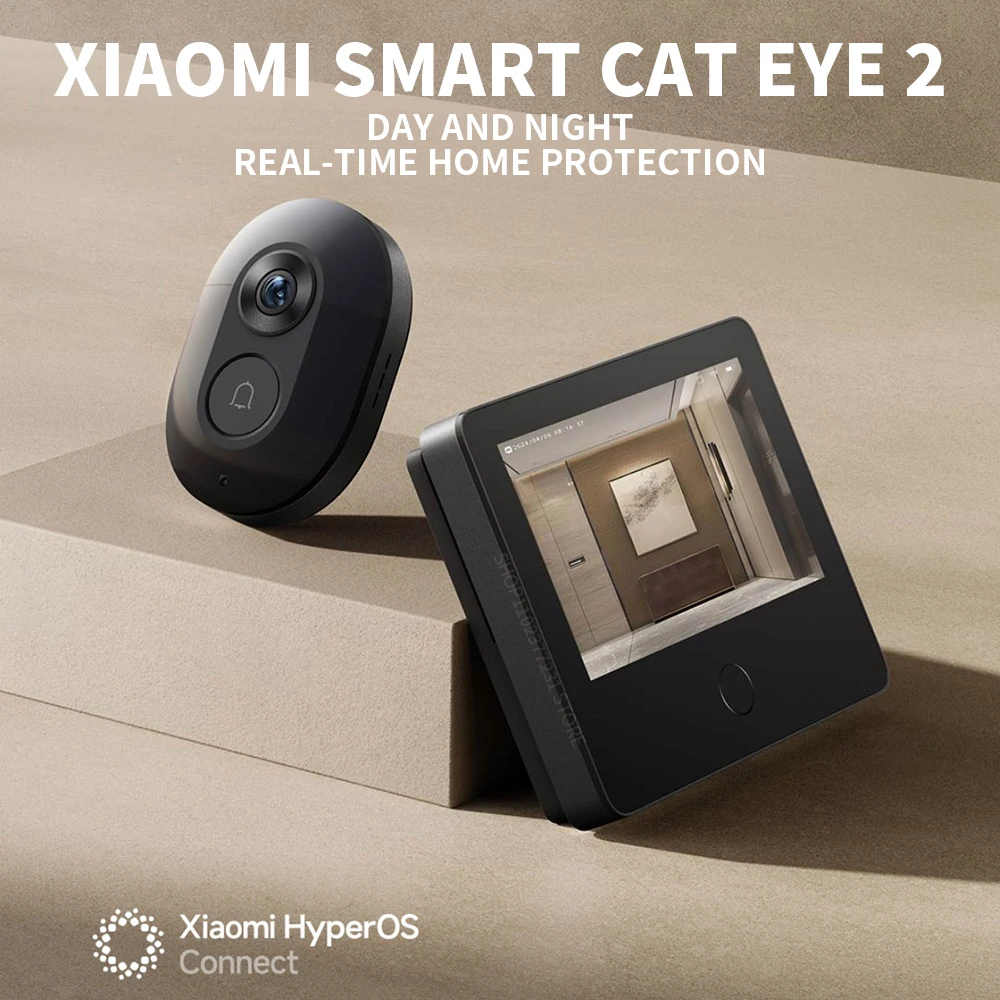
Xiaomi Smart Cat Eye 2 — Características principales
· Cámara HD de 3MP
Captura imágenes con gran nivel de detalle gracias a su resolución 2048 × 1536, ofreciendo mayor claridad. Compatible con HDR, lo que mejora las zonas claras y oscuras incluso en escenas a contraluz.
· Soporte HDR
Optimiza automáticamente la iluminación para obtener imágenes más equilibradas en cualquier condición de luz.
· Lente gran angular de 180°
Proporciona un campo de visión amplio con mínimos puntos ciegos, ideal para vigilar el exterior de la puerta.
· Visión nocturna infrarroja 940 nm
Incluye 8 luces infrarrojas y un sensor de alta sensibilidad que permite ver claramente hasta 5 metros en completa oscuridad, sin el brillo rojo visible típico de otras cámaras.
· Pantalla HD de 5 pulgadas (720P)
Pantalla LCD de 720P con proceso de laminación completa y cristal templado. Cuando alguien toca el timbre, la pantalla muestra automáticamente la vista exterior, útil para todos los miembros de la familia.
· Batería de gran capacidad 8000mAh
Autonomía prolongada y carga mediante puerto Type‑C.
· Doble sensor PIR de detección humana
Cobertura horizontal de 180°, activando grabación al detectar movimiento. Tres niveles de sensibilidad ajustables para detección personalizada.
· Detección local AI de humanoides
Filtra eficazmente falsas alarmas y envía solo notificaciones relevantes.
· Llamada de voz bidireccional
Permite iniciar videollamadas desde la app Mi Home. Incluye función de cambio de voz para mayor seguridad y respuestas rápidas personalizables.
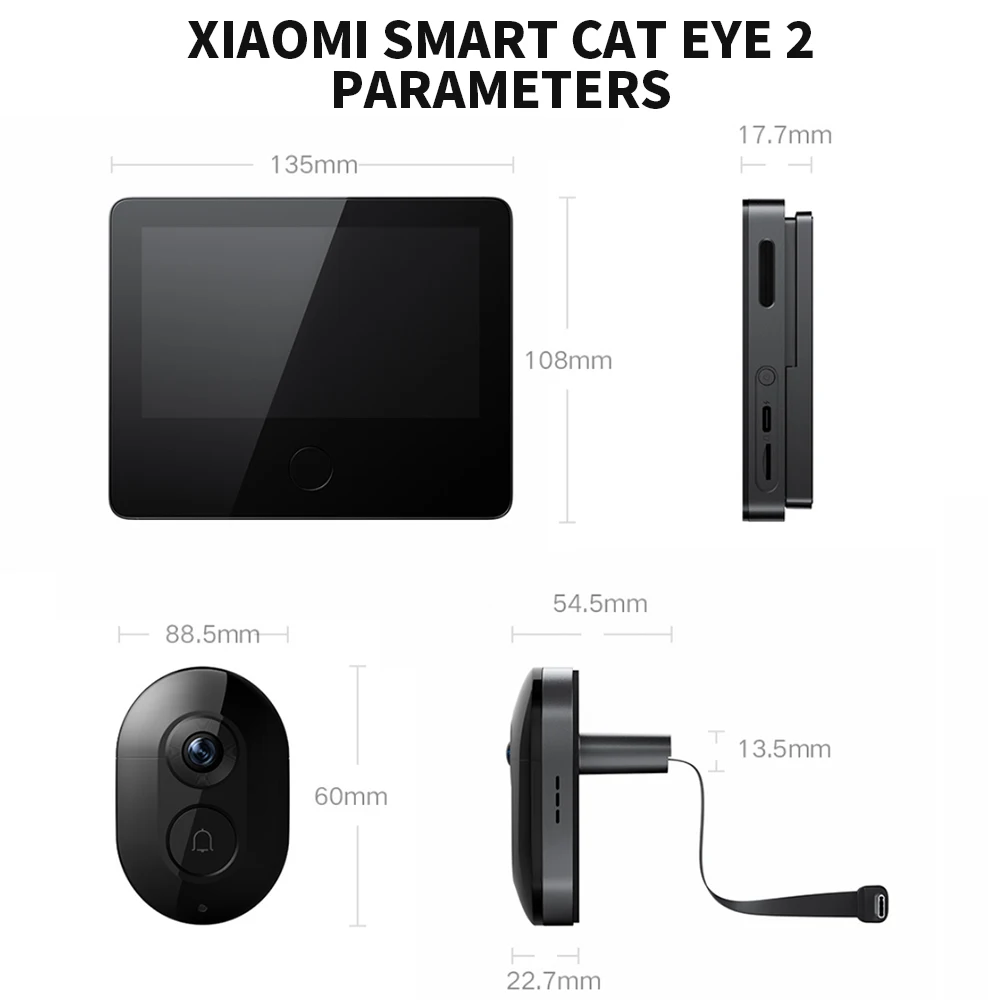
Parámetros detallados
Xiaomi Smart Cat Eye 2 Protección del hogar en tiempo real, de día y de noche.
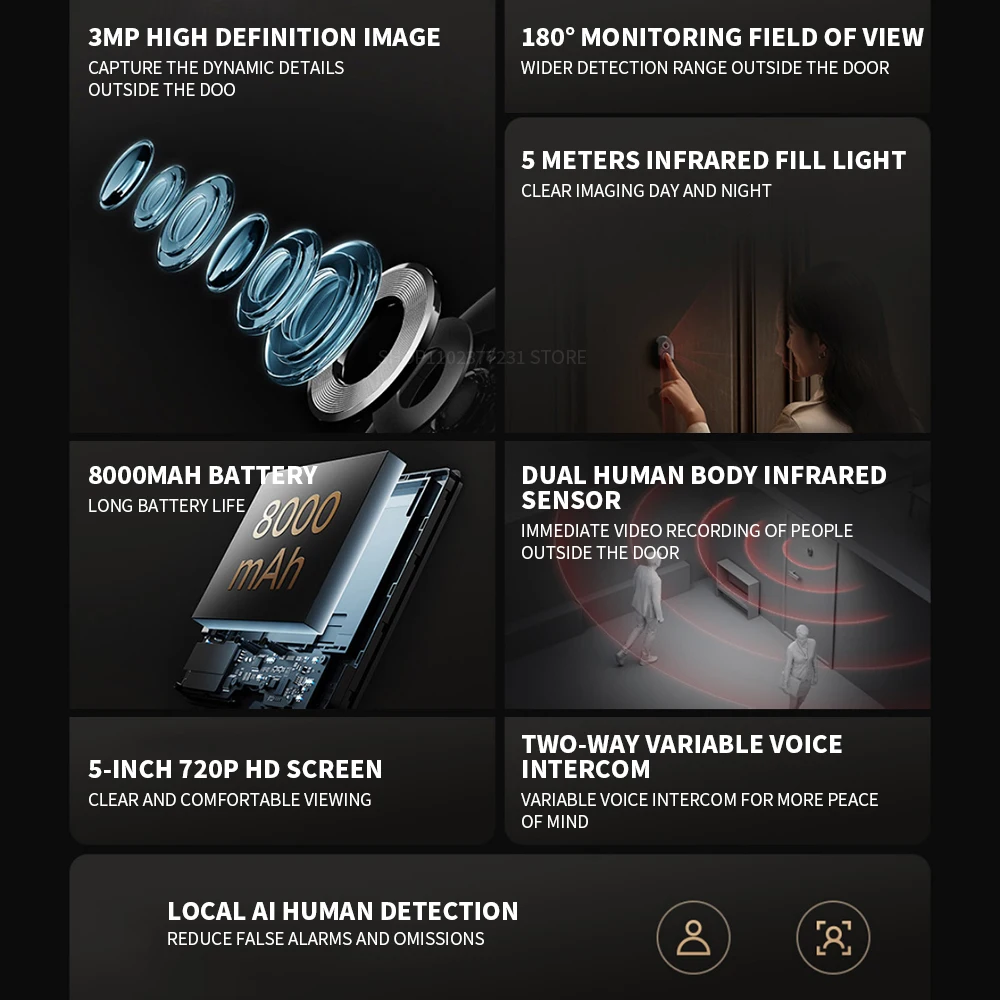
 3MP high-definition image
detailed capture of dynamics outside the door
8000mAh large battery,
ultra-long battery life
180° monitoring field of view
with few blind spots outside the door
5 Meters infrared fill light
clear imaging day and night
Dual human body infrared sensor
immediate video recording of people outside the door
*5-inch 720P HD screen
clear and comfortable viewing
To-way variable voice intercom
variable voice intercom for more peace of mind
 3MP HD camera
Rich details, clear capture
3 million high-definition video with a resolution of 2048×1536, the picture quality is clearer, it also supports HDR, and the backlight shooting is also clear. 180° wide angle lens
The field of view is wide, there are fewer blind spots outside the door, and you can feel more confident when looking after your home.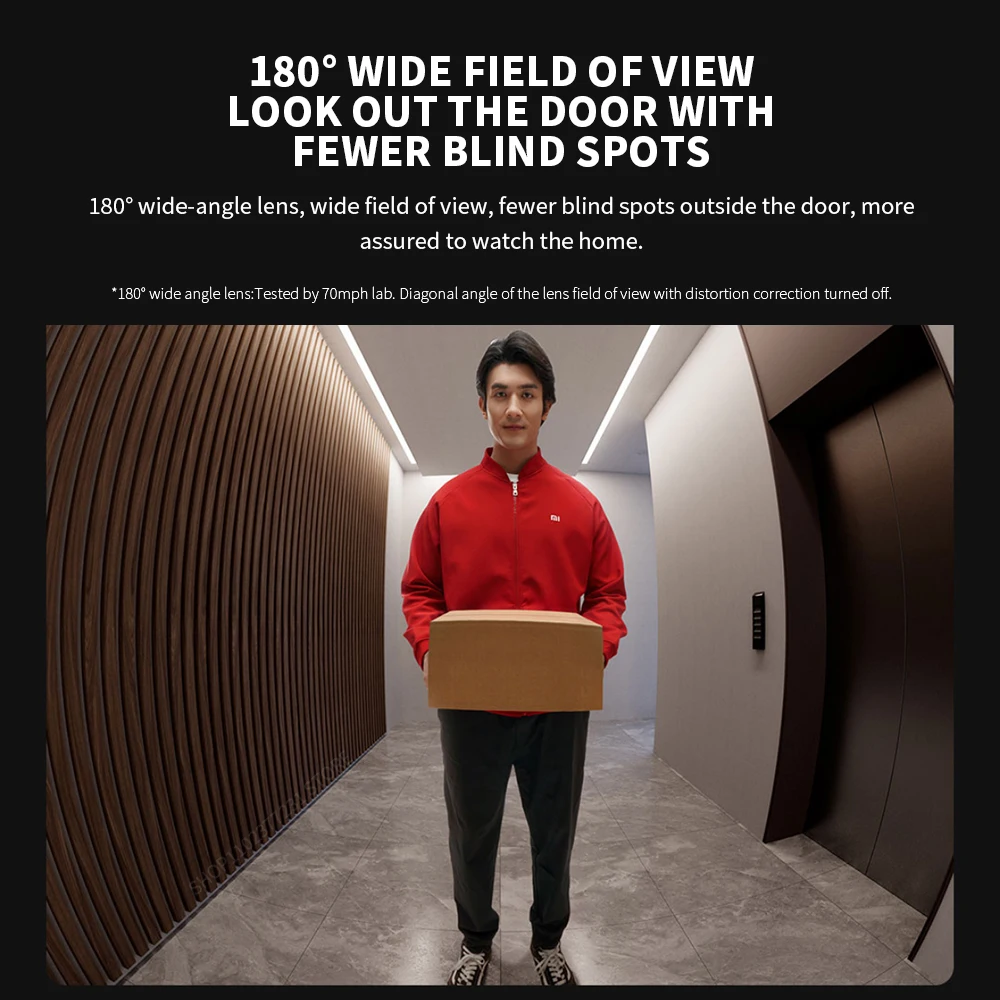 940nm infrared fill light, no matter how dark it is at night, it’s still clear
8 940nm infrared night vision lights, 5m infrared fill light, and high-sensitivity sensor, no red exposure at night, clear and non-disturbing. 5-inch 720P HD screen
It adopts 720P LCD screen and tempered glass full lamination process, which makes the image clearer. When someone presses the doorbell, it will automatically display the picture outside the door, making it convenient for the elderly and children to view.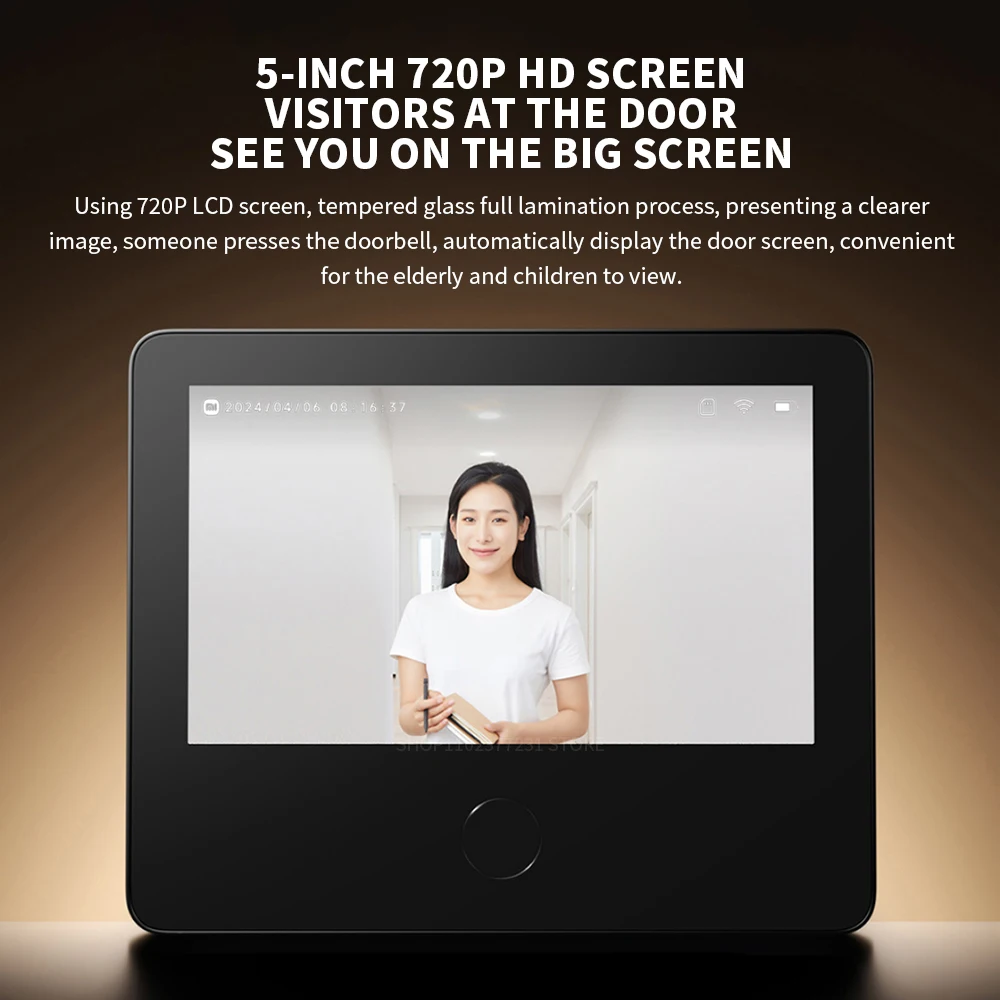 8000mAh large capacity battery
Ultra-long battery life, embedded operating system, and 8000mAh large-capacity battery. Equipped with Type-C interface, charging is more convenient.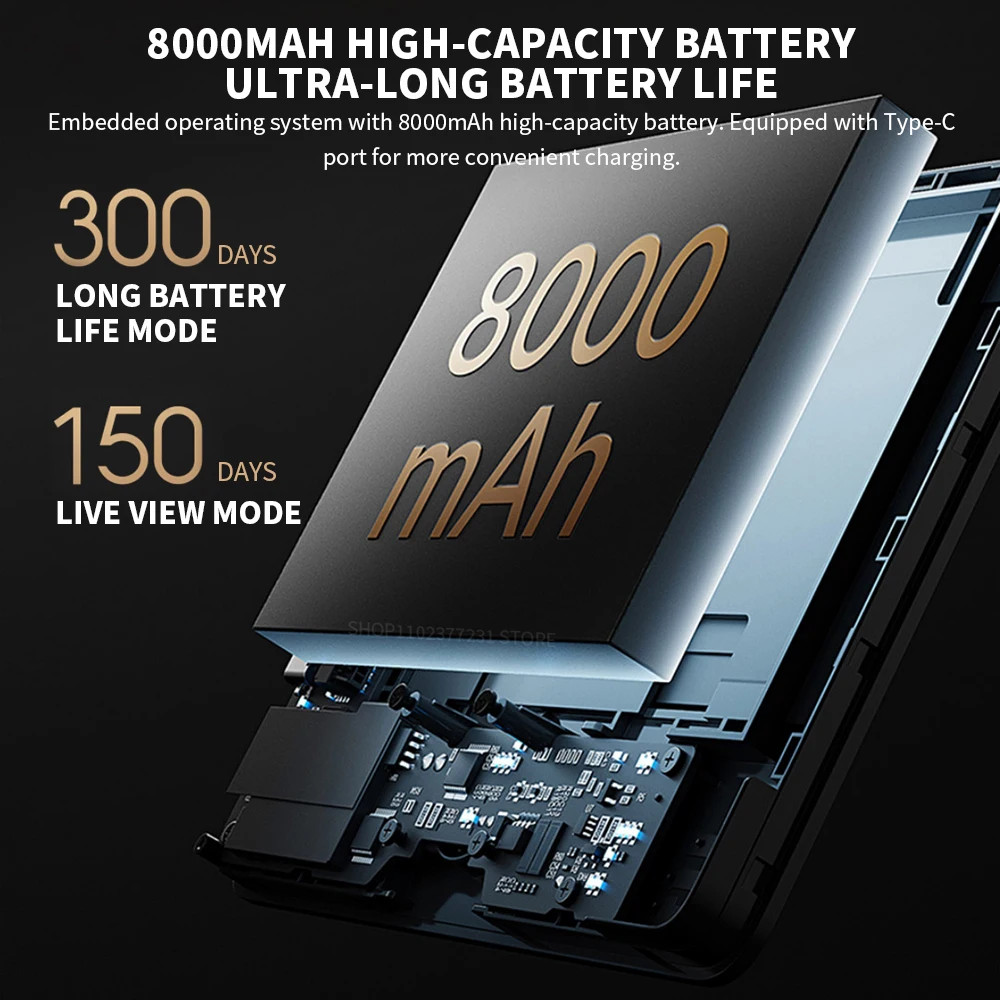 Built-in dual PIR human body infrared sensor
Covering a wide 180° horizontal area, anyone coming outside the door will immediately trigger the recording. Three levels of detection sensitivity, which can be adjusted independently according to the actual situation. Two-way voice call
Initiate a video call through the Mi Home App. If you are alone at home, you can choose the voice change function to talk to visitors. It also supports quick replies such as "Please leave the express at the door", and you can also customize the voice reply content.
 1 REMOVE THE OLD CAT'S EYE
①Fix the original cat's eye on the outside of the door.
②Rotate the cat's eye inside the door and remove it as shown in the illustration.
Tip:As shown in the figure below, select the appropriate length of screws according to the thickness of the door.
2.INSTALLATION OF CAT-EYE CAMERA
①Select the appropriate screws according to the thickness of the door panel, screw the
screws into the screw holes of the cat's eye camera about 5mm, and tear off the protective paper on the back of the camera adhesive sticker.
② Put the screws and wires through the door panel, make sure the cat-eye camera is square and the doorbell button is underneath, and stick the camera on the door.
 3、INSTALLATION OF THE CARD HOLDER
①Remove the card holder from the cat's eye display, and then remove the wire shield on the card holder.
②Push the cable connector into the buckle at the bottom of the card holder, and then put the screws on the cat's eye camera through the screw holes on the card holder.
4、FIXED CARD HOLDER
① Adjust the card holder so that the screw is stuck at the top of the screw hole, concentrate the remaining part of the screw, and fix the card holder.
②Organize the wiring and replace the cable shield.
5、INSTALLING THE CAT'S EYE DISPLAY
① Align the slide on the card holder and slide the cat's eye display into the card holder from top to bottom, making sure that the clips on the card holder are fully embedded in the bottom of the cat's eye display.
② lf you need to remove the cat's eye display, push the display upward from the bottom of the mount.

 Packing list
Cat’s eye display×1
Card holder (including shielding plate) ×1
Cat eye camera ×1
Charging cable ×1
Instruction Manual×1
M3×20 screw×2
M3 ×40 screw ×2
M3×60 screw×2
M3 × 80 screw × 2
Screwdriver ×1

También te puede interesar...