

Baseus 15-in-1 160W Docking Station
11-in-1 for Win / China Mainland
$ 2,749.56
Skip to product information


Baseus 15-in-1 160W Docking Station
$ 2,749.56
🚚 FREE SHIPPING
🚚 Estimated delivery: 7-25 business days.
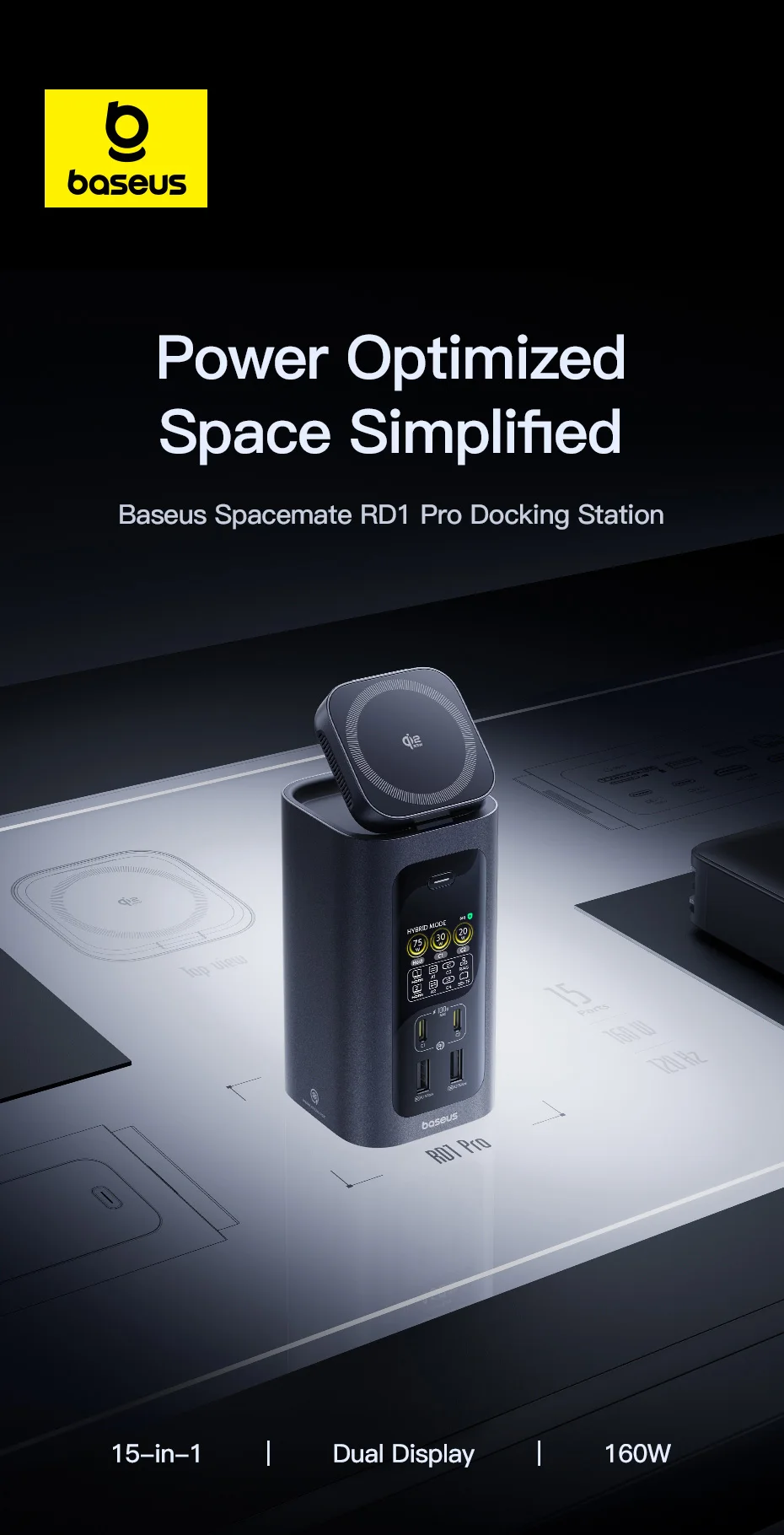
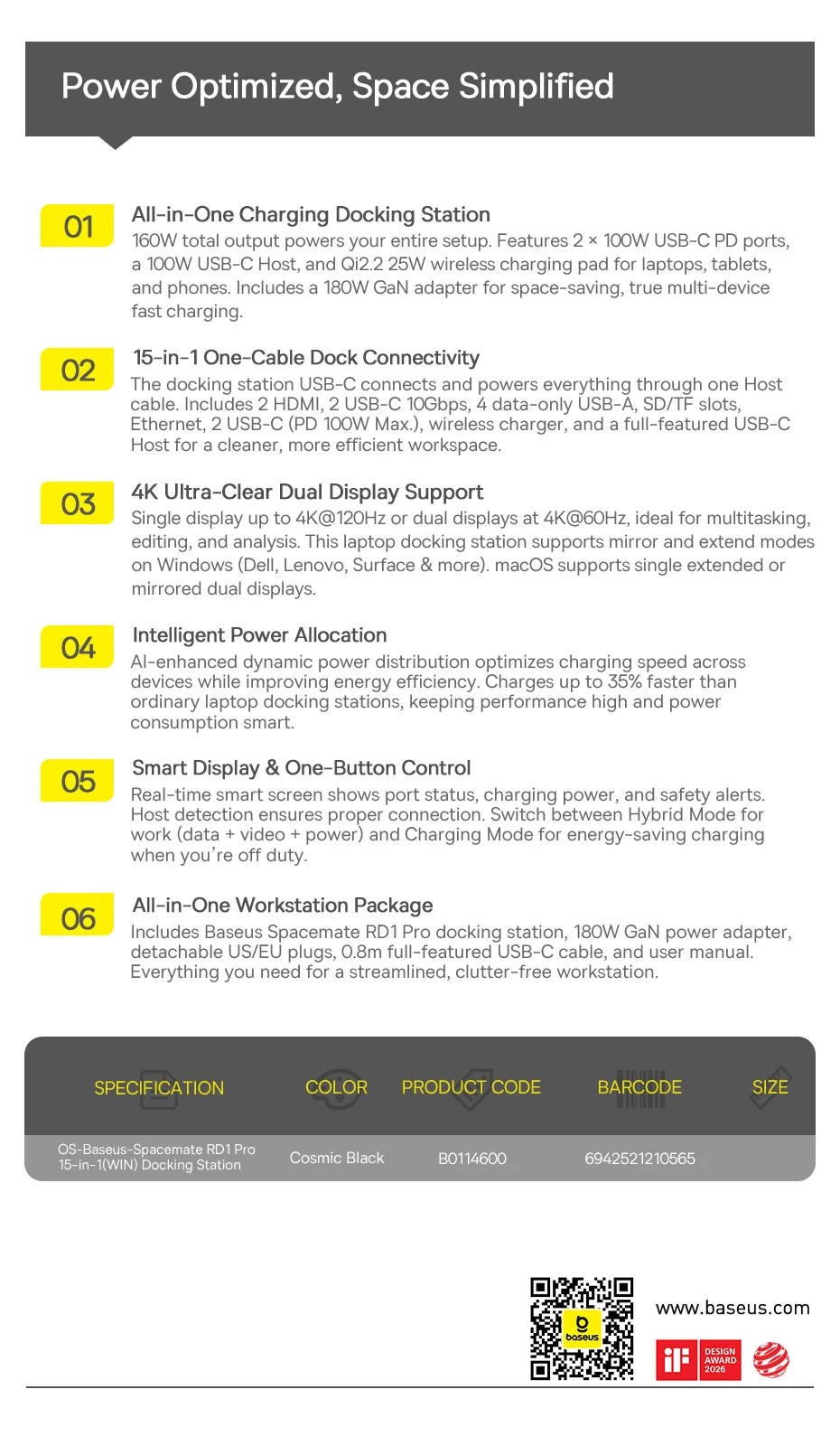
Optimized Power, Simplified Space
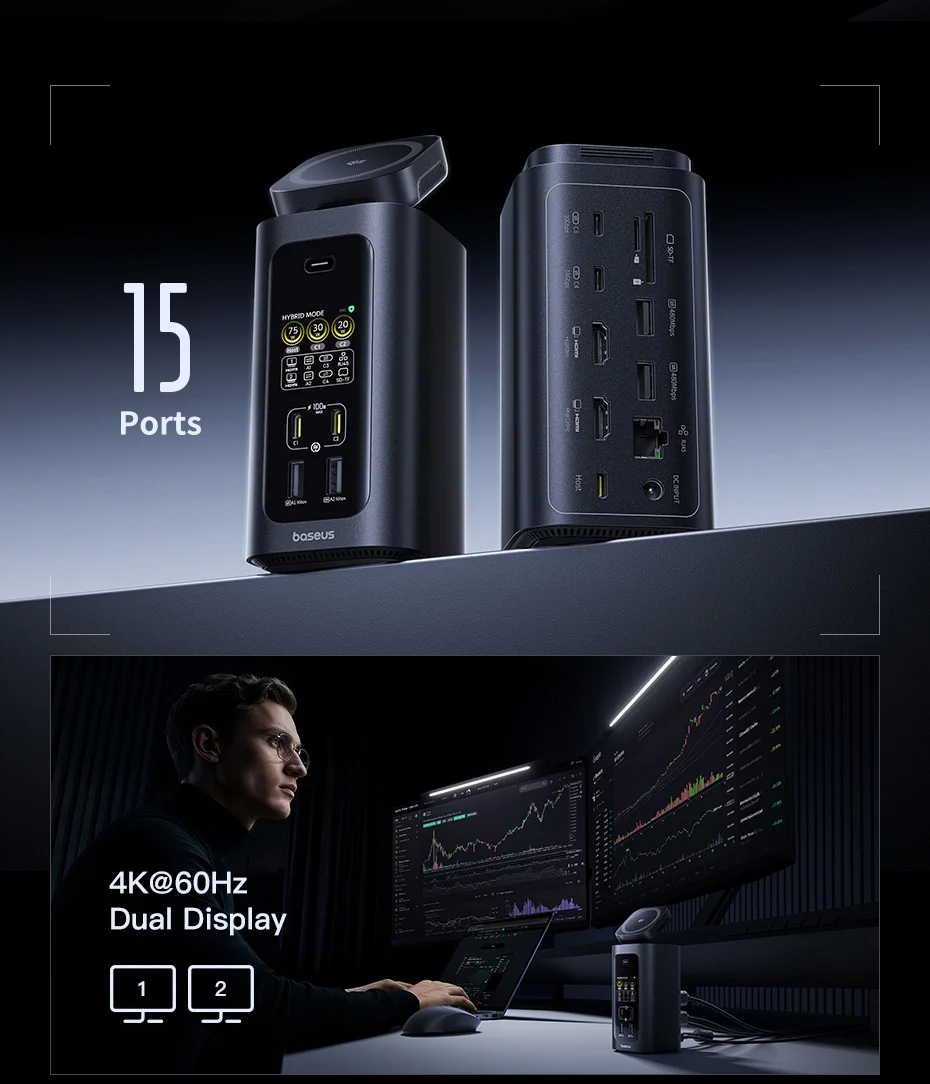
① 15-in-1 Connectivity with a Single Cable
The docking station connects and powers everything via a single host cable. Includes:
-
1× HDMI 4K@120Hz
-
1× HDMI 4K@60Hz
-
2× USB‑C (10Gbps)
-
2× USB‑A (5Gbps)
-
2× USB‑A (480Mbps)
-
RJ45 (1000Mbps)
-
SD/TF (104Mb/s)
-
2× USB‑C PD (100W)
-
Qi2.2 Wireless Charger (25W)
-
USB‑C Full-Function Host All for a cleaner, more efficient, and organized workspace.
② Ultra-Clear 4K Dual Display Support
-
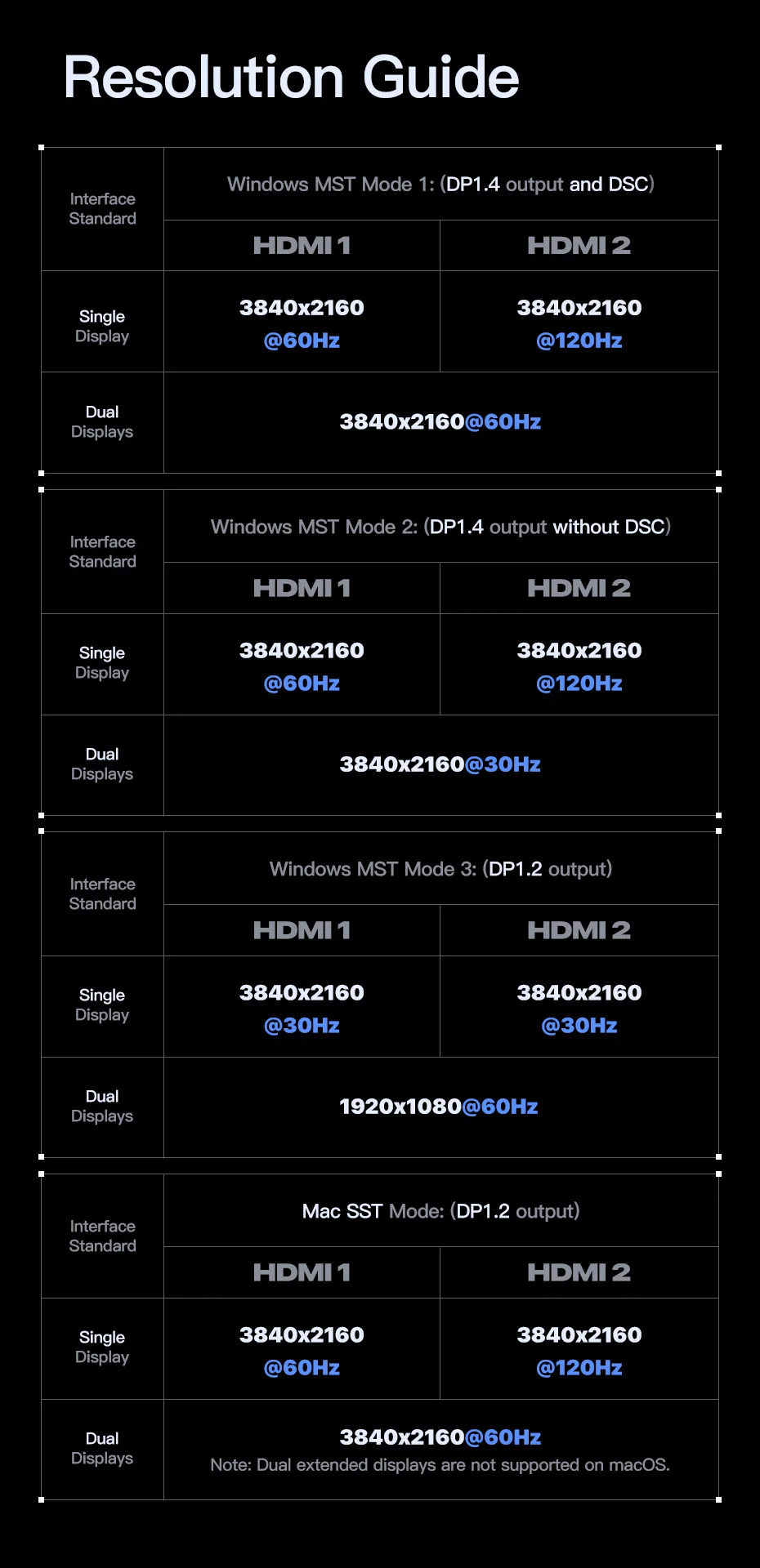
Single display: up to 4K@120Hz
-
Dual displays: up to 4K@60Hz Ideal for multitasking, editing, and analysis. Windows supports mirror and extended modes (Dell, Lenovo, Surface, and more). macOS supports single extended display or dual displays in mirror mode.
③ Qi2.2 Certified Wireless Charger
Stable magnetic alignment, 25W fast charging, and comprehensive safety protection. Compatible with all devices that support the Qi protocol, for reliable charging anytime, anywhere.
④ Real-time Status Monitoring and One-Button Control
The smart display shows port status, charging power, and safety alerts. Host detection ensures a correct connection. Allows switching between:
-
Hybrid Mode: data + video + power (ideal for work)
-
Charging Mode: energy saving when you finish your workday
⑤ Intelligent Power Allocation
Dynamic power distribution with AI optimizes charging speed and improves efficiency. Charges up to 35% faster than conventional docking stations, maintaining high performance with smart consumption.
⑥ All-in-One Charging Docking Station
Total output of 160W to power your entire setup. Includes:
-
2× USB‑C PD 100W
-
1× USB‑C Host 100W
-
Qi2.2 Wireless Charger 25W Compatible with laptops, tablets, and phones. Includes a compact and efficient 180W GaN adapter for true multi-device fast charging.
**Baseus 160W 15-in-1 Docking Station
with Qi2.2 25W Wireless Charging**
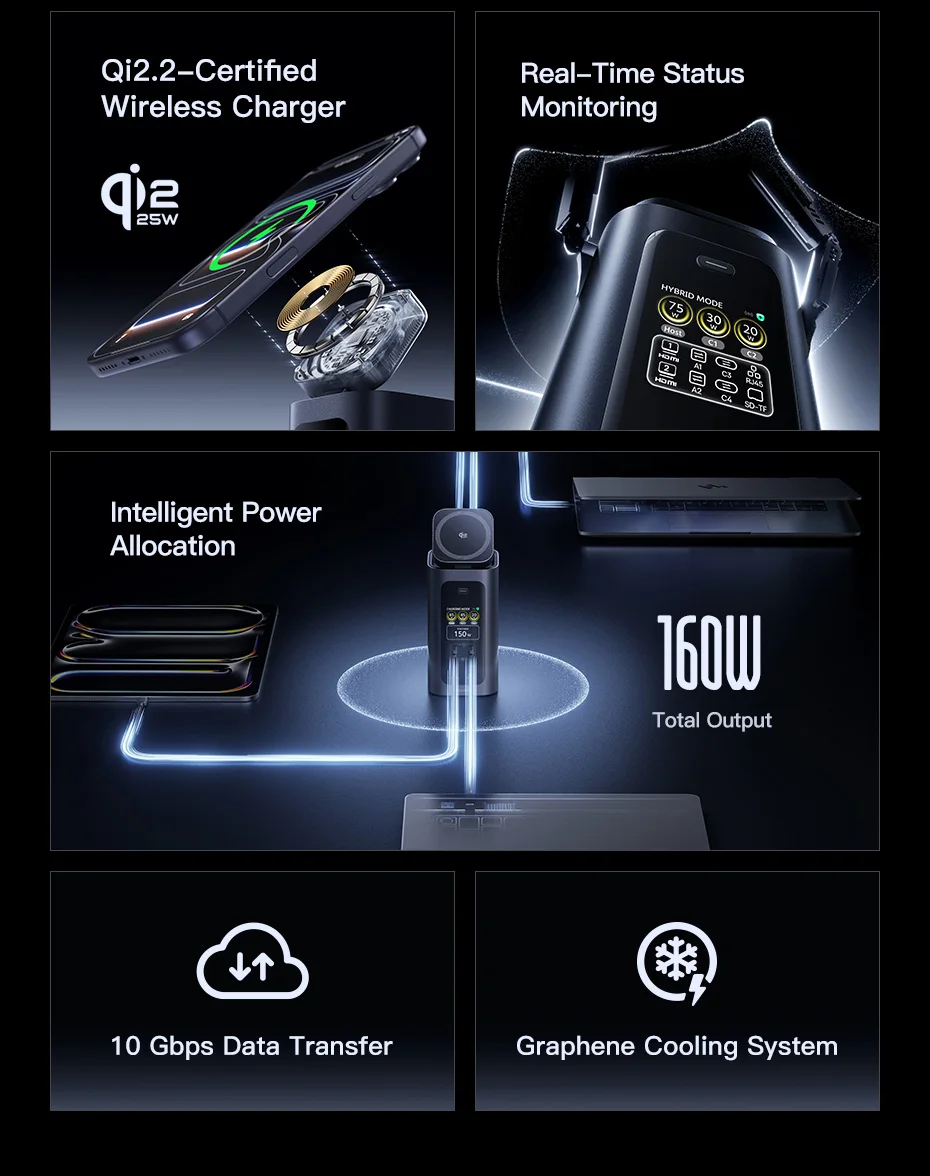
Multiple Devices
✅ 25W Qi2.2 wireless charger ✅ 3 USB‑C ports with PD charging ✅ 180W GaN adapter included ✅ Intelligent power allocation
⚠️ Note: Use the included 180W GaN adapter for optimal performance. The total charging output is up to 160W, due to the dock's own power consumption.
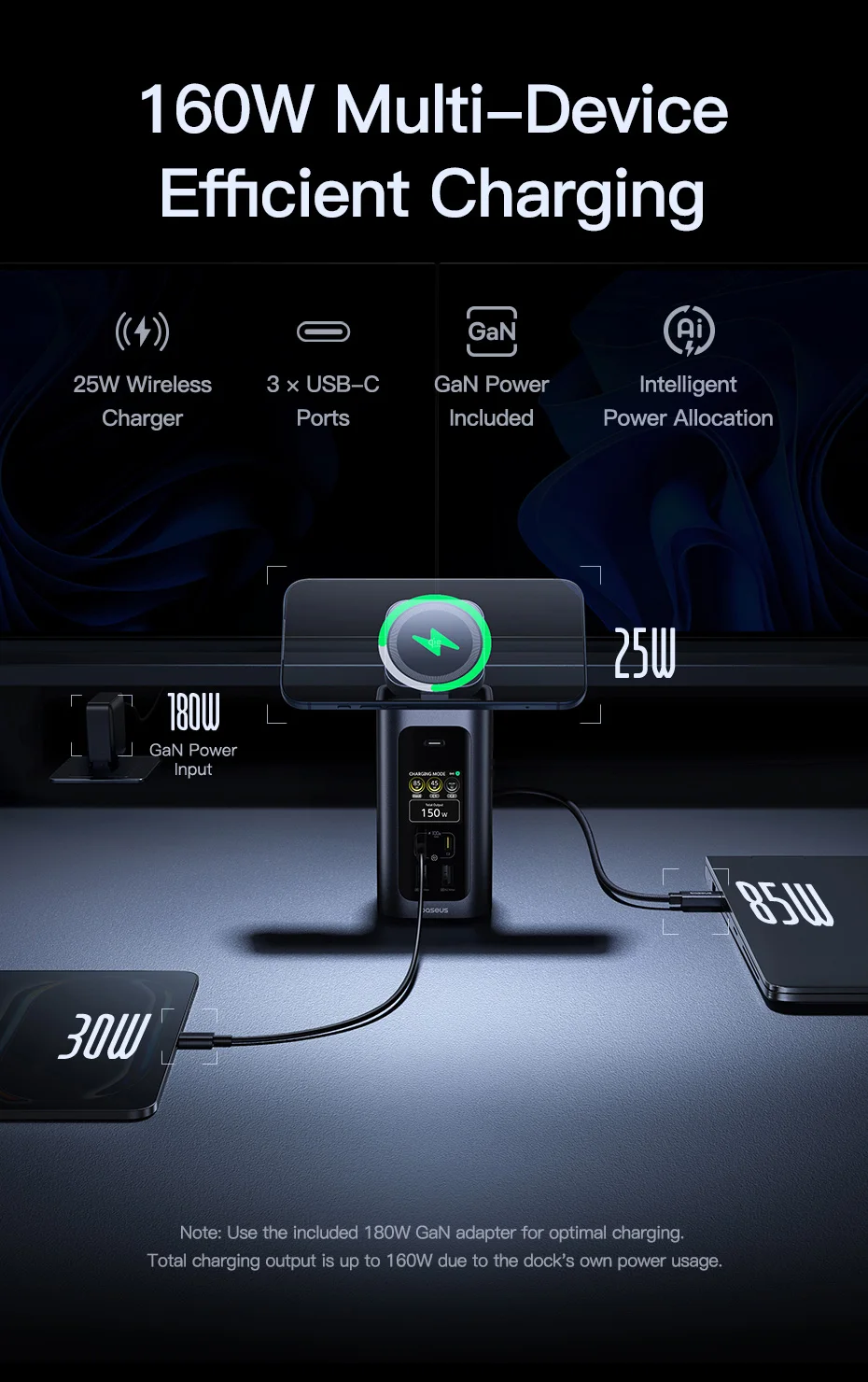
180W GaN Adapter
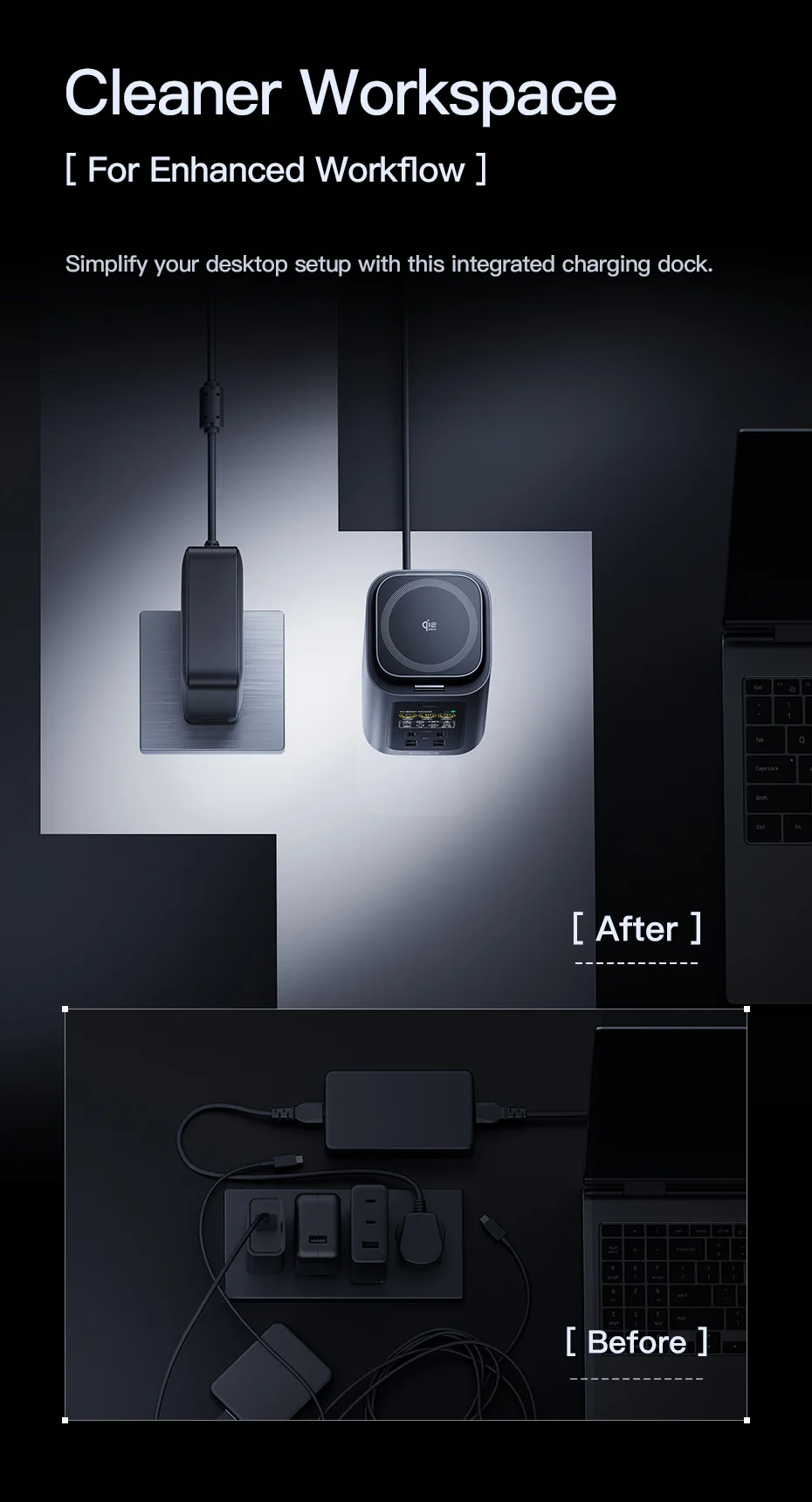
Takes up less space, keeping your outlet and desk cleaner and more organized.
✅ Improved heat dissipation ✅ Energy saving ✅ More compact size
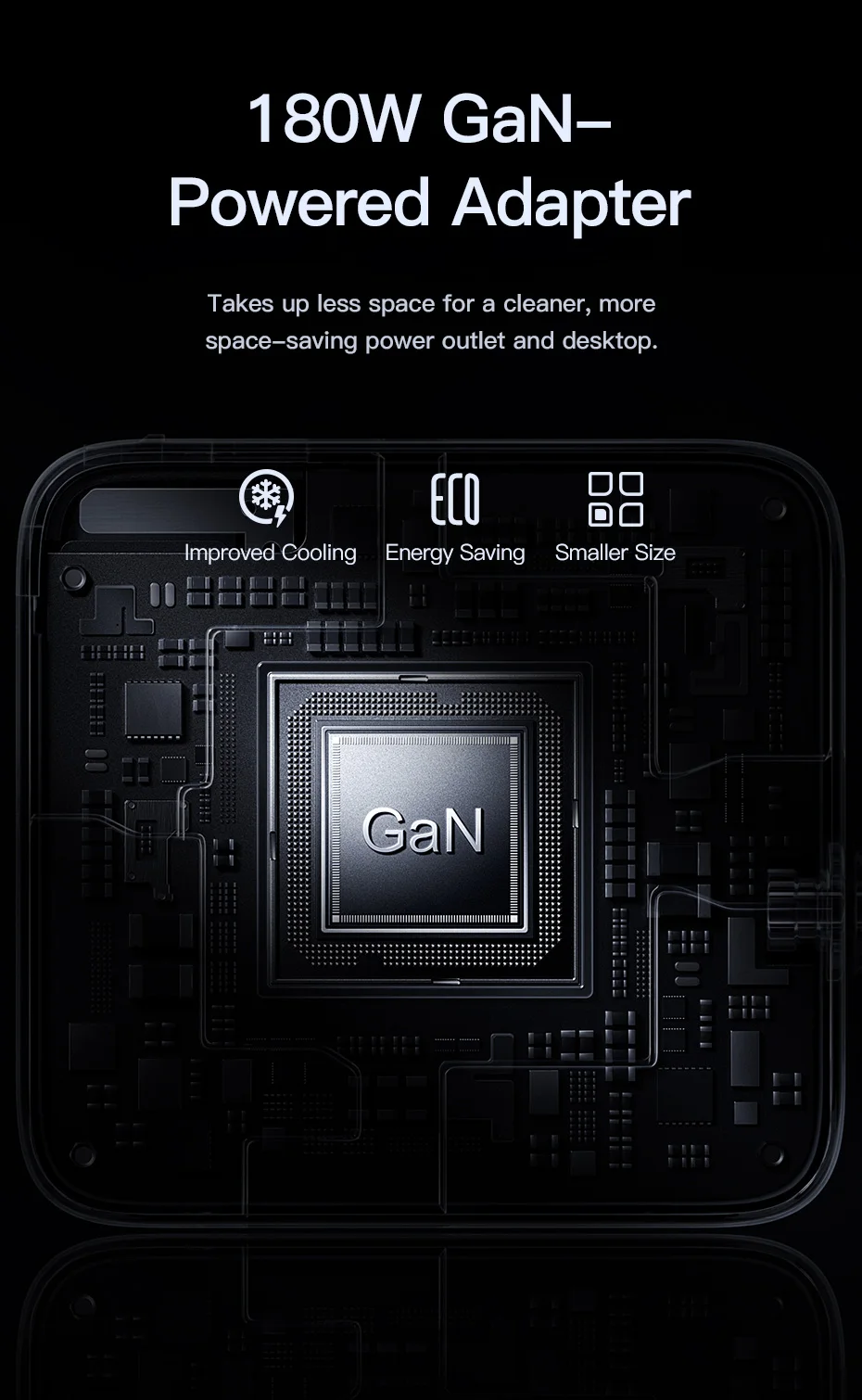
Intelligent Power Allocation
More eco-efficient, more intelligent.
✅ Up to 35% faster
⚠️ Note: Actual charging power may vary depending on the number of USB ports in use and the charging status of connected devices.
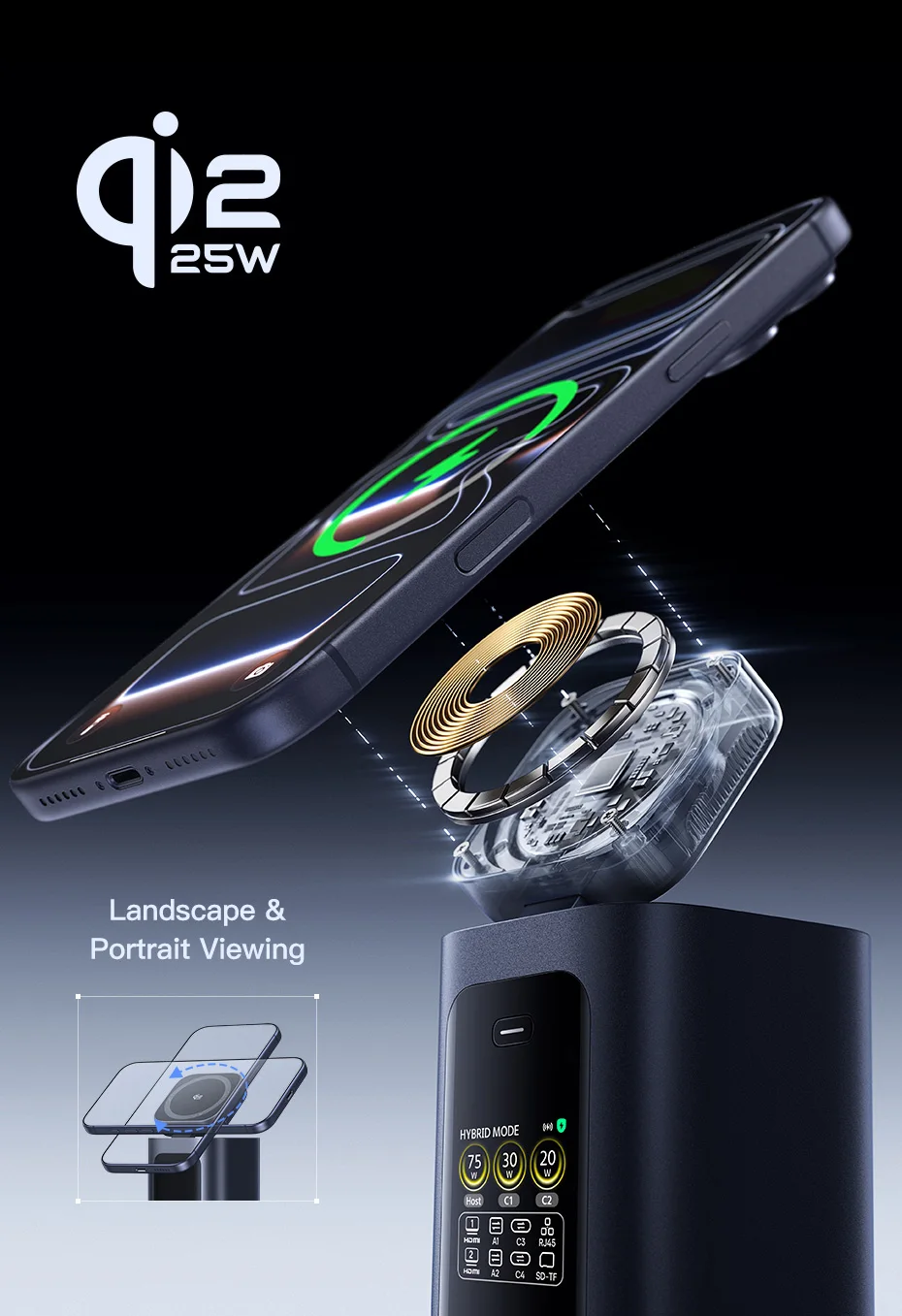
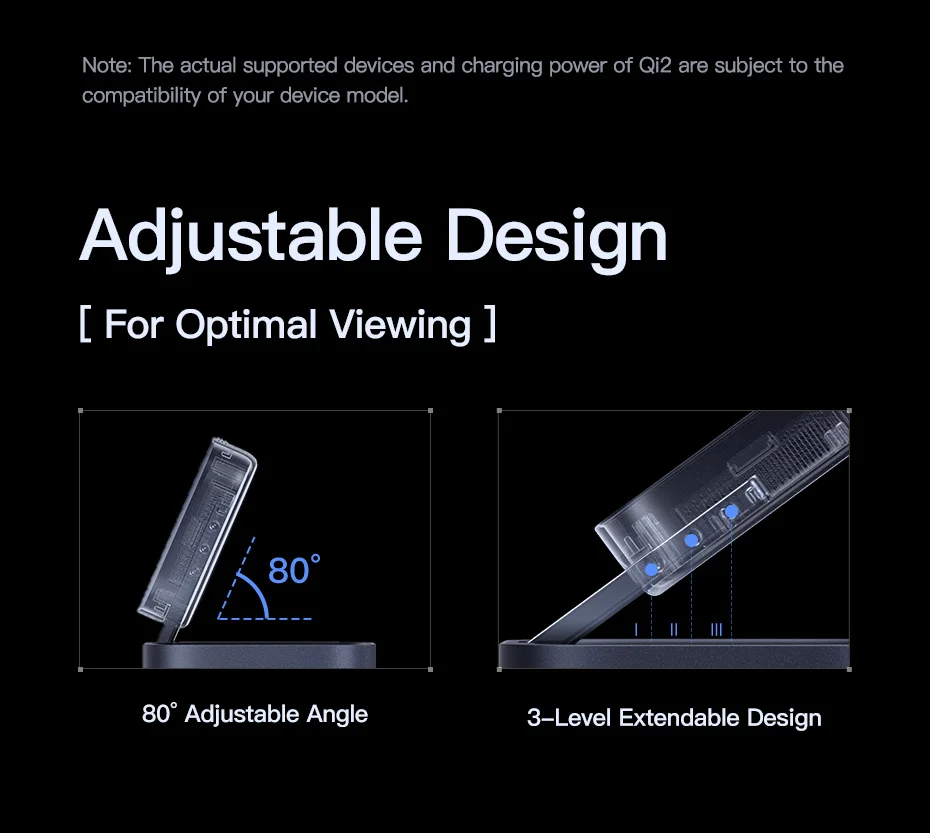
Adjustable 25W Qi2.2 Wireless Charging
Safe, fast, and stable power.
✅ Horizontal and vertical viewing ✅ 80° adjustable angle ✅ 3-level extensible design
⚠️ Note: Compatible devices and actual charging power under Qi2 depend on your device model.
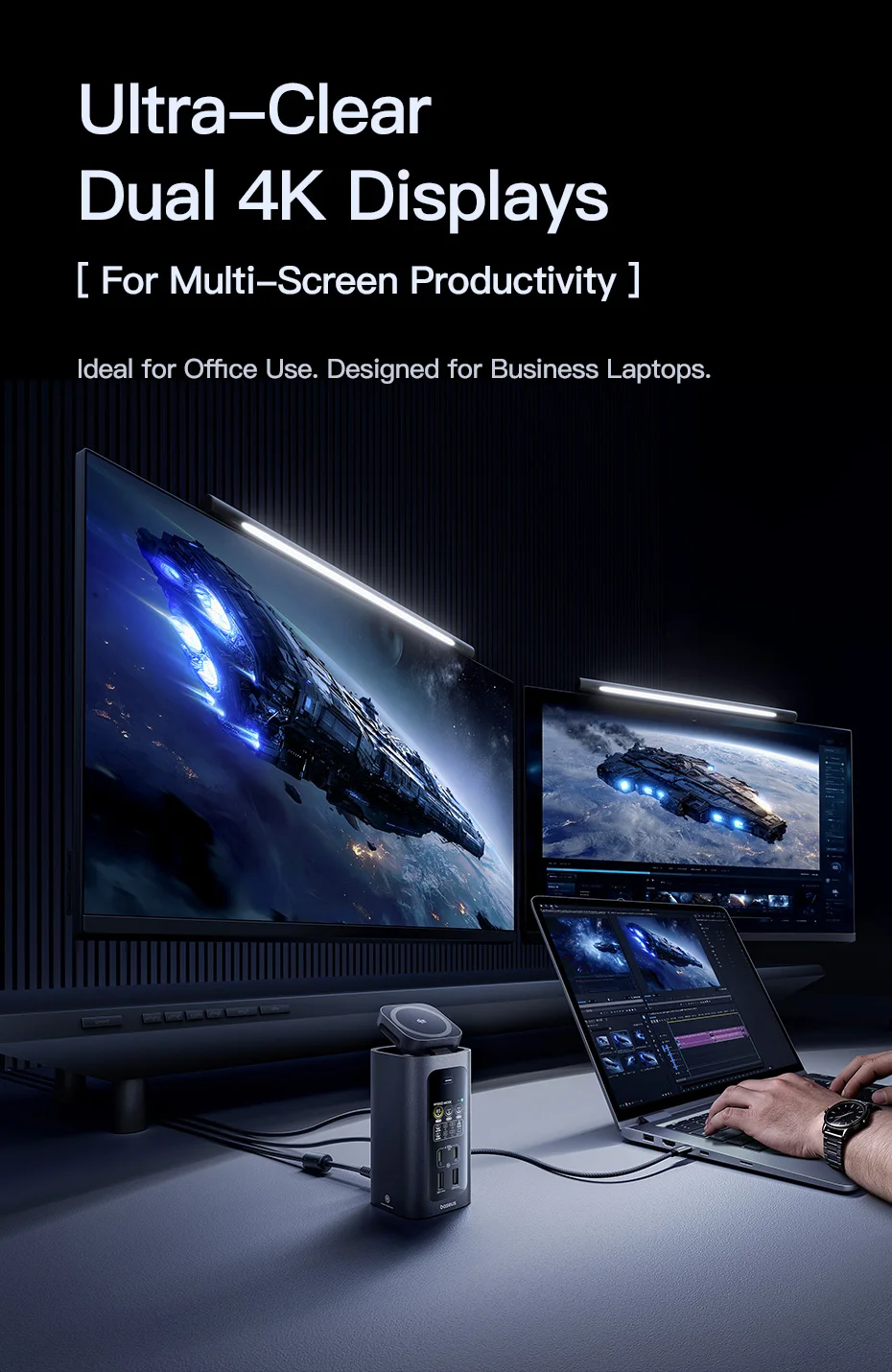
Ultra-Sharp 4K Dual Displays
[ For multi-screen productivity ] Ideal for office use. Designed for business laptops.
✅ Single display up to 4K@120Hz ✅ Dual displays at 4K@60Hz ✅ Windows supports mirror and extended modes ✅ macOS supports single extended display or dual displays in mirror mode
⚠️ Note: macOS does not support extended mode on dual screens.
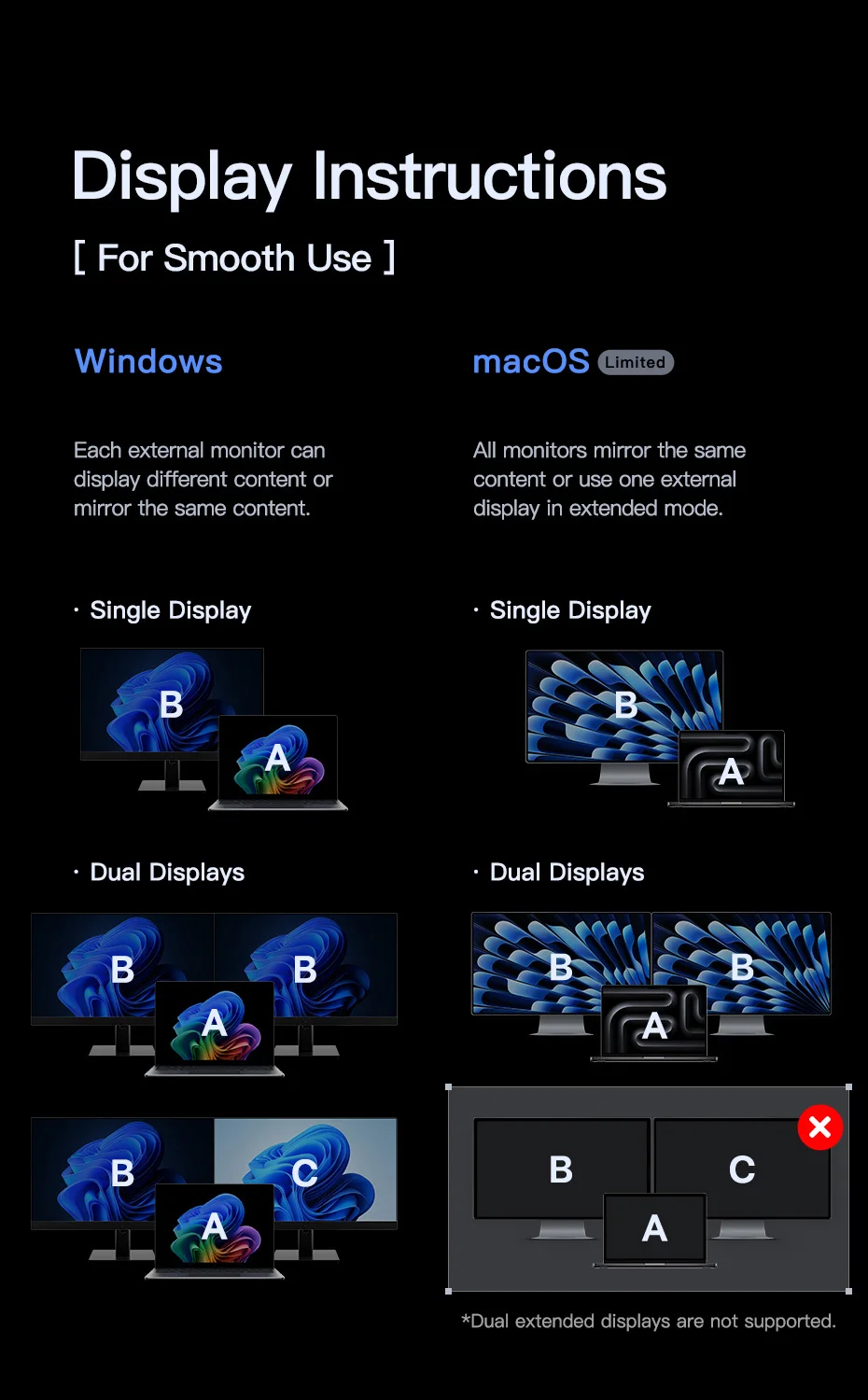
Display Instructions
• For Windows
Each external monitor can display different content or duplicate the same content.
• For macOS (Limited)
All monitors duplicate the same content, or you can use a single external display in extended mode.
⚠️ Note: macOS does not support extended mode on dual displays.
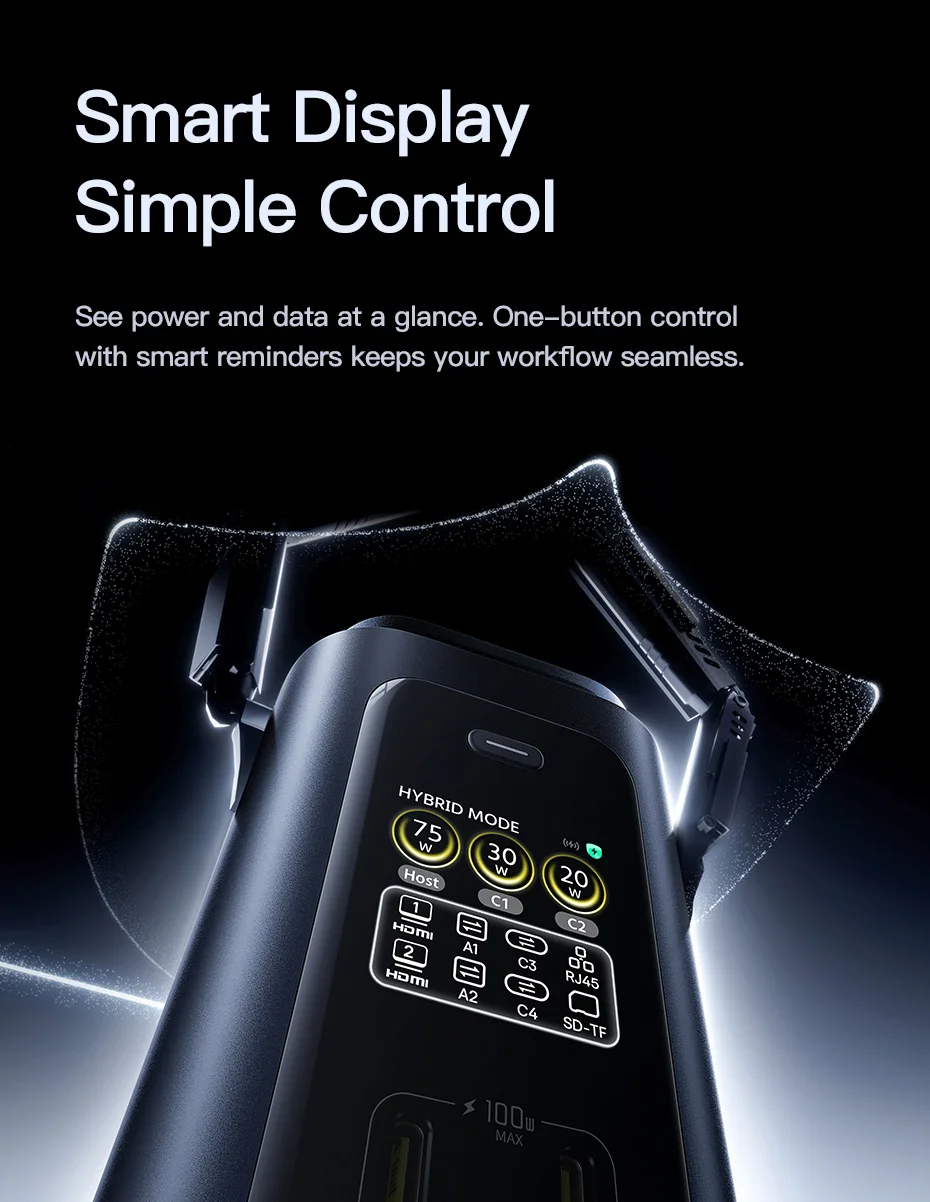
Smart Display, Simple Control
View power and data at a glance. One-button control and smart reminders keep your workflow uninterrupted.
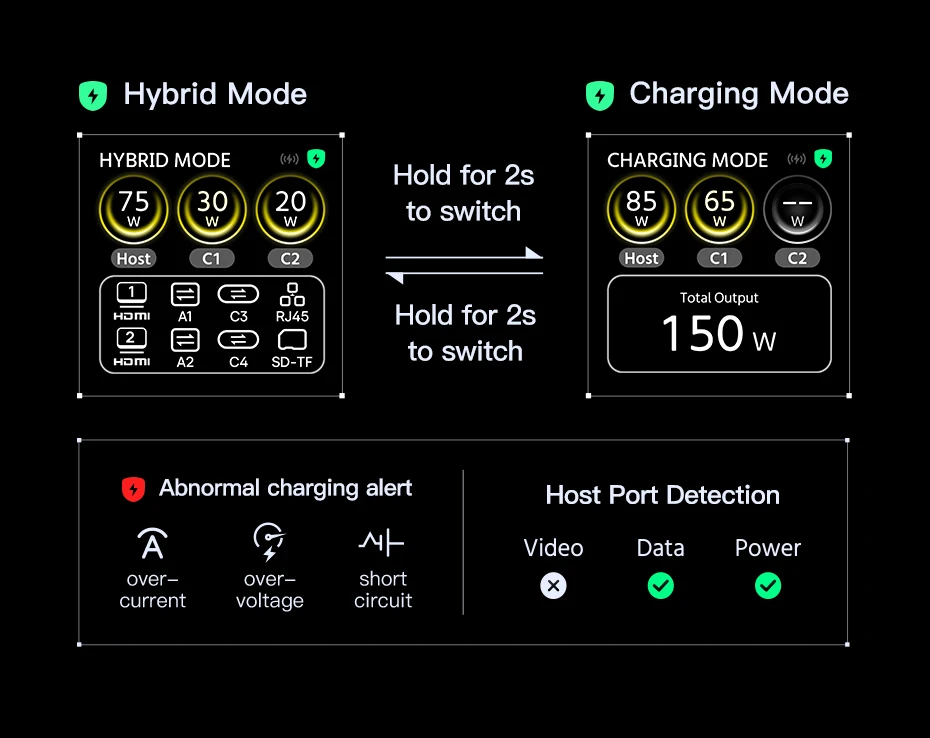
✅ Hybrid Mode
• Allows the device to charge while transmitting data and video, including Ethernet, display output, and peripheral connection.
⚠️ Note: If the device connected to the USB-C Host port does not support full-function mode, the screen will display "Host Port Detection". Verify that your device's USB-C port is full-function.
✅ Charging Mode
• Provides power only; all data and video functions are disabled.
-
With a device connected to the Host, press and hold the display button for 2 seconds to switch from Hybrid Mode to Charging Mode. Press and hold again for 2 seconds to return to Hybrid Mode.
-
When no device is connected to the Host, ports C1/C2 and wireless charging continue to function normally.
-
To return to Hybrid Mode, ensure the Host port is connected to a computer with a full-function USB-C port.
✅ Wireless Charging Indicator
• Appears when the wireless charger is in normal charging status.
✅ Shield Protection
• A green shield indicates normal charging.
-
If overcurrent, overvoltage, or short circuit is detected, the shield turns red and the affected port icon will also display in red. Disconnect the device from that port.
✅ Host Port Detection
• When connecting to a PC and other peripherals, the system automatically checks the equipment's video, data, and power functions. If any issues are detected, a pop-up window will appear showing the results.
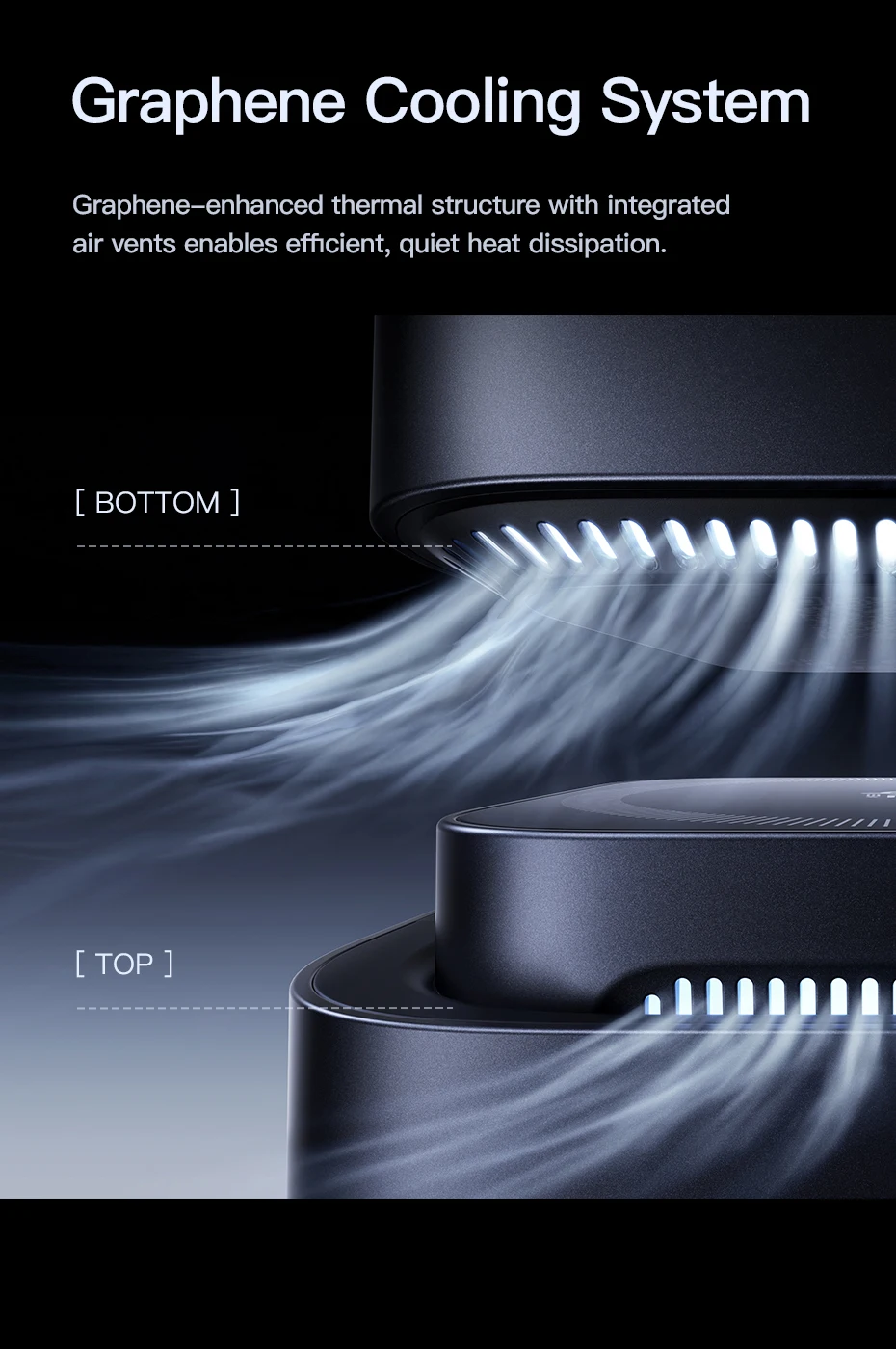
Graphene Cooling System
The enhanced thermal structure with graphene, along with integrated vents, allows for efficient and silent heat dissipation.
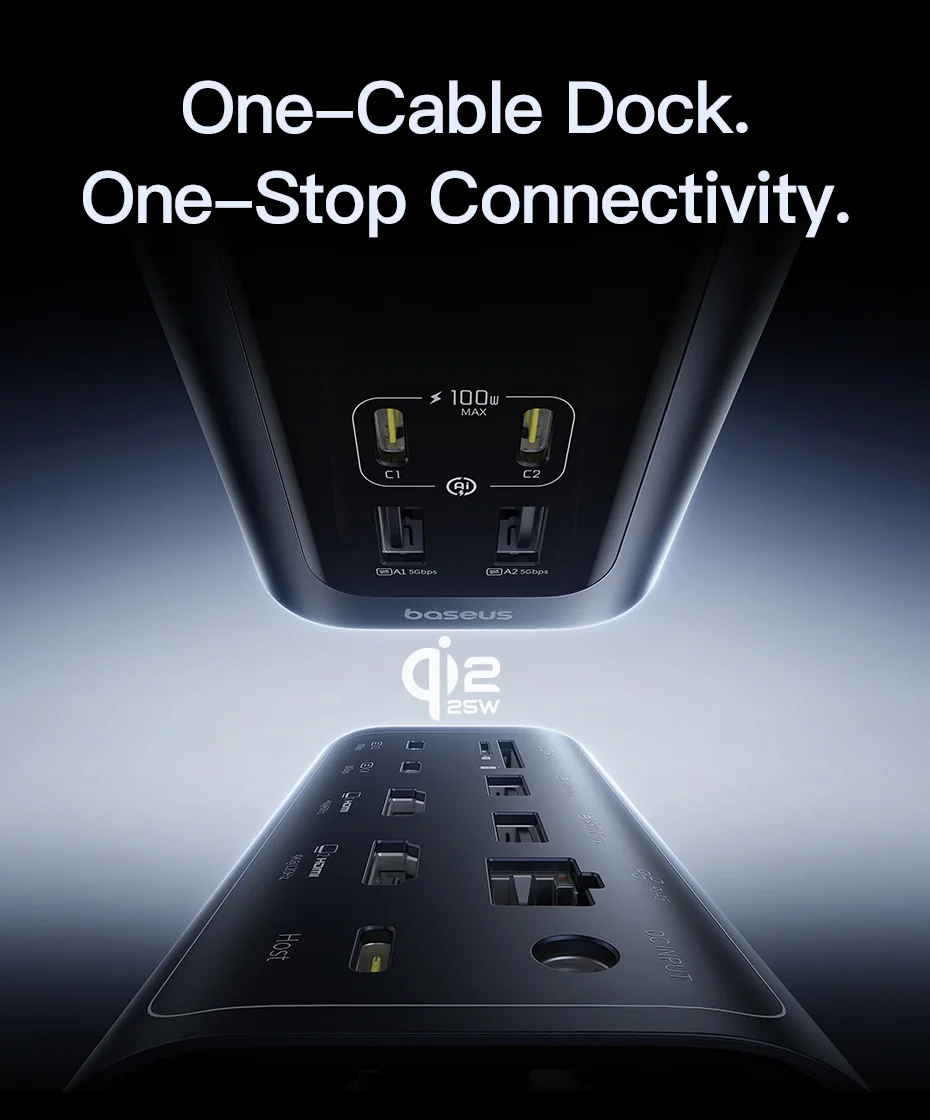
Single-Cable Dock, All-in-One Connectivity
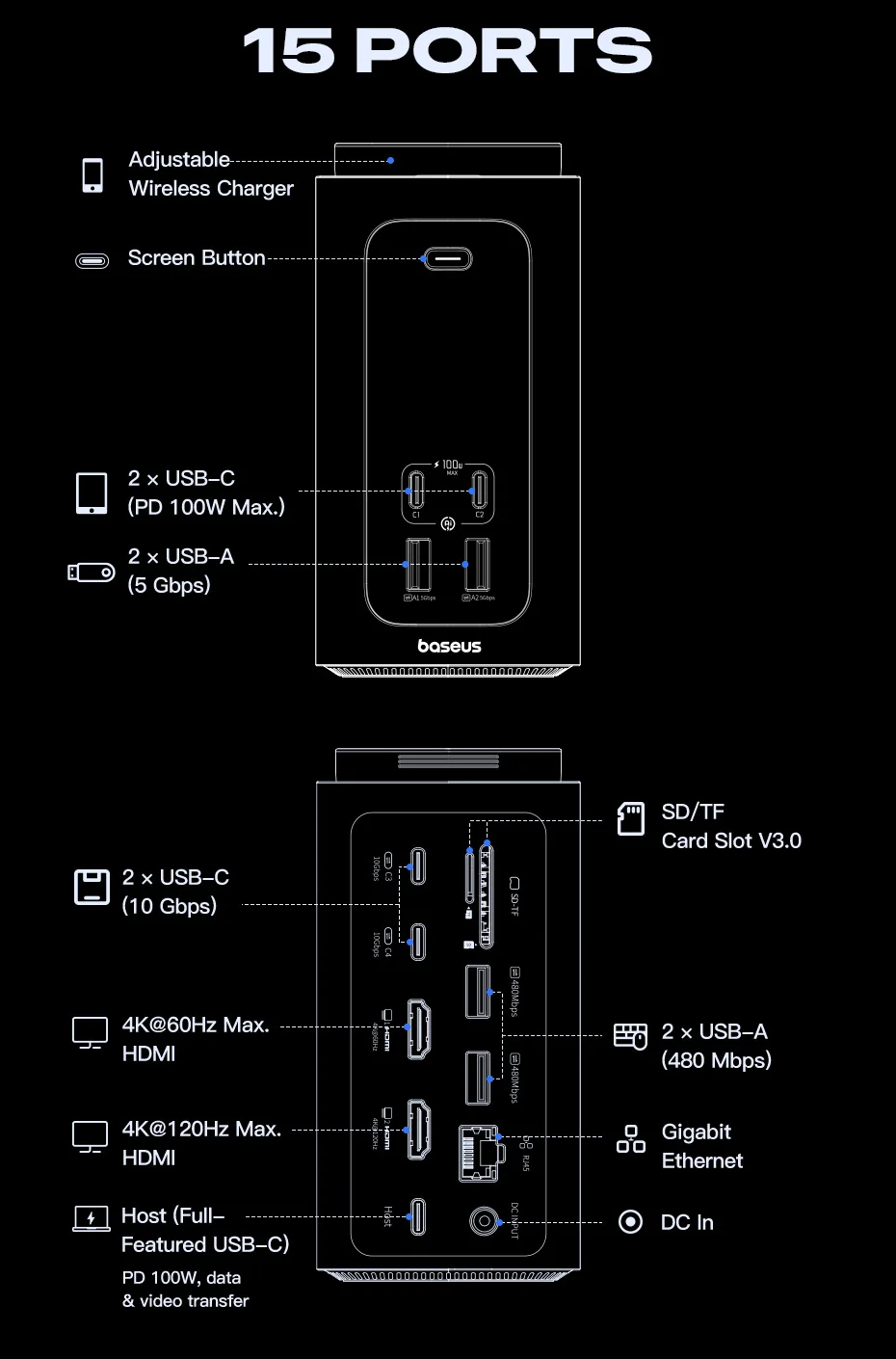
15 PORTS
✅ Top
① Adjustable Wireless Charger • Supports wireless charging up to 25W and intelligent power management for Qi-enabled smartphones. • Foldable and extensible design to adjust to your preferred viewing angle.
✅ Front
② Display Button • One tap to turn off or activate the smart screen. • Press and hold for 2 seconds to switch between Hybrid Mode and Charging Mode.
③ USB‑C1 / USB‑C2 • Connect your laptop or smartphone via USB-C cable. • Supports up to 100W PD charging with intelligent power management. • Does not support data or video transfer.
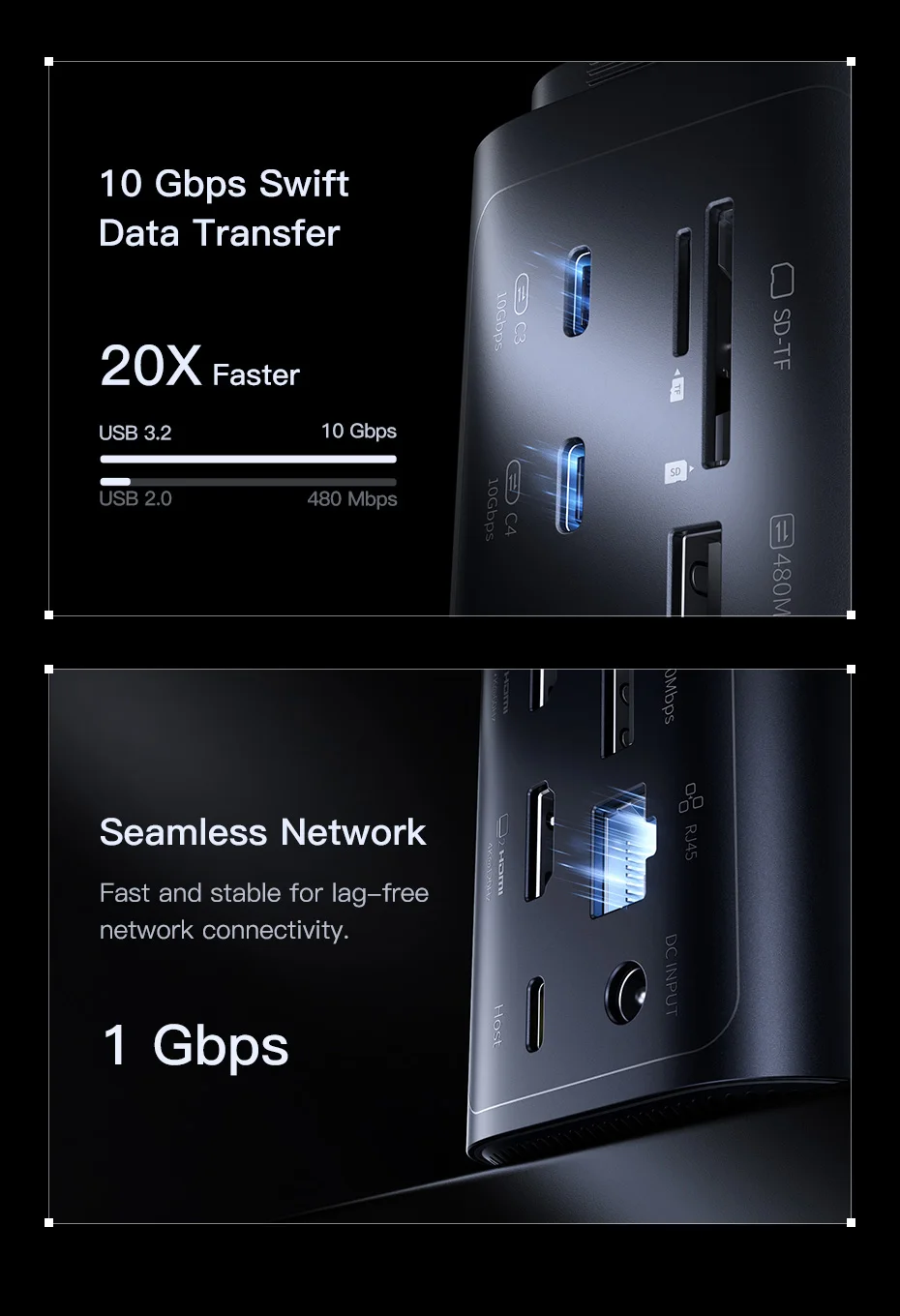
④ USB‑A1 / USB‑A2 • Data transfer up to 5 Gbps. • Does not support charging.
✅ Back
⑤ USB‑C3 / USB‑C4 • Data transfer up to 10 Gbps. • Does not support charging.
⑥ HDMI 1 • Video output up to 4K@60Hz for HDMI-compatible monitors.
⑦ HDMI 2 • Video output up to 4K@120Hz for HDMI-compatible monitors.
⑧ Host (USB‑C) • Connect your USB-C laptop for data transfer, video output, and charging up to 100W. ⚠️ Note: Ensure your laptop's USB-C port supports data, video, and Power Delivery for a complete single-cable connection.
⑨ SD‑TF • UHS‑I slot for SD/TF cards. • Maximum transfer of 104 MB/s.
⑩ USB‑A 2.0 • Data transfer up to 480 Mbps. • Compatible with mouse, keyboard, USB drive, hard drive, receiver, etc.
⑪ RJ45 • 1000 Mbps (Gigabit), backward compatible with 100 Mbps and 10 Mbps.
⑫ DC Input • Connect the included 180W GaN adapter for DC power.
FAQs
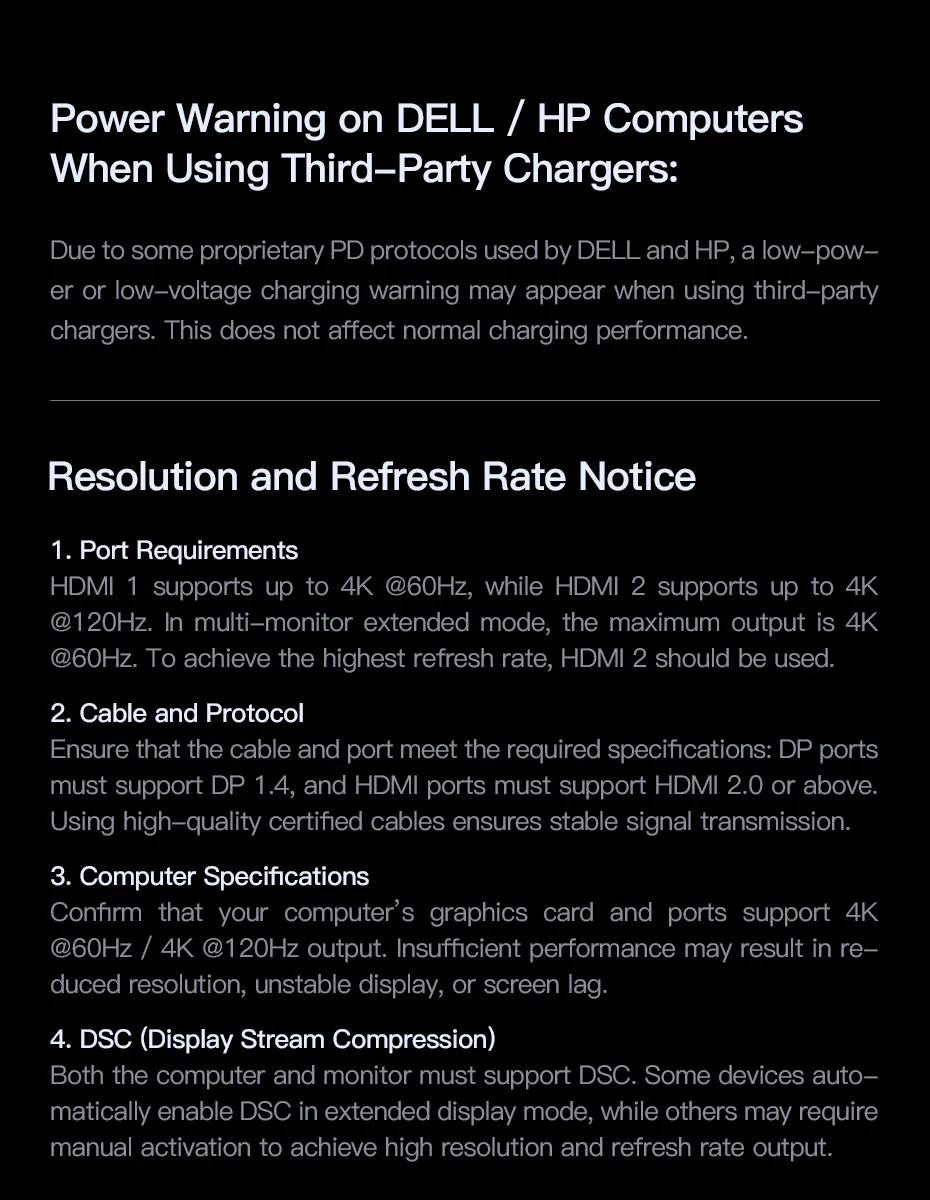
❓ Power Warning on DELL / HP Computers When Using Third-Party Chargers
📢 Due to DELL and HP's proprietary PD protocols, a low power or low voltage warning may appear when using third-party chargers. This does not affect charging performance.
❓ Notice on Resolution and Refresh Rate
📢 1. Port Requirements • HDMI 1: up to 4K@60Hz • HDMI 2: up to 4K@120Hz • In multi-monitor extended mode, the maximum output is 4K@60Hz. • For the highest refresh rate, use HDMI 2.
📢 2. Cable and Protocol • Ensure the cable and port meet specifications: – DP must support DP 1.4 – HDMI must support HDMI 2.0 or higher • Use certified high-quality cables for stable transmission.
📢 3. Computer Specifications • Verify that your computer's graphics card and ports support 4K@60Hz / 4K@120Hz. • Insufficient performance may cause low resolution, instability, or lag.
📢 4. DSC (Display Stream Compression) • Both the computer and monitor must support DSC. • Some devices activate it automatically in extended mode; others require manual activation.
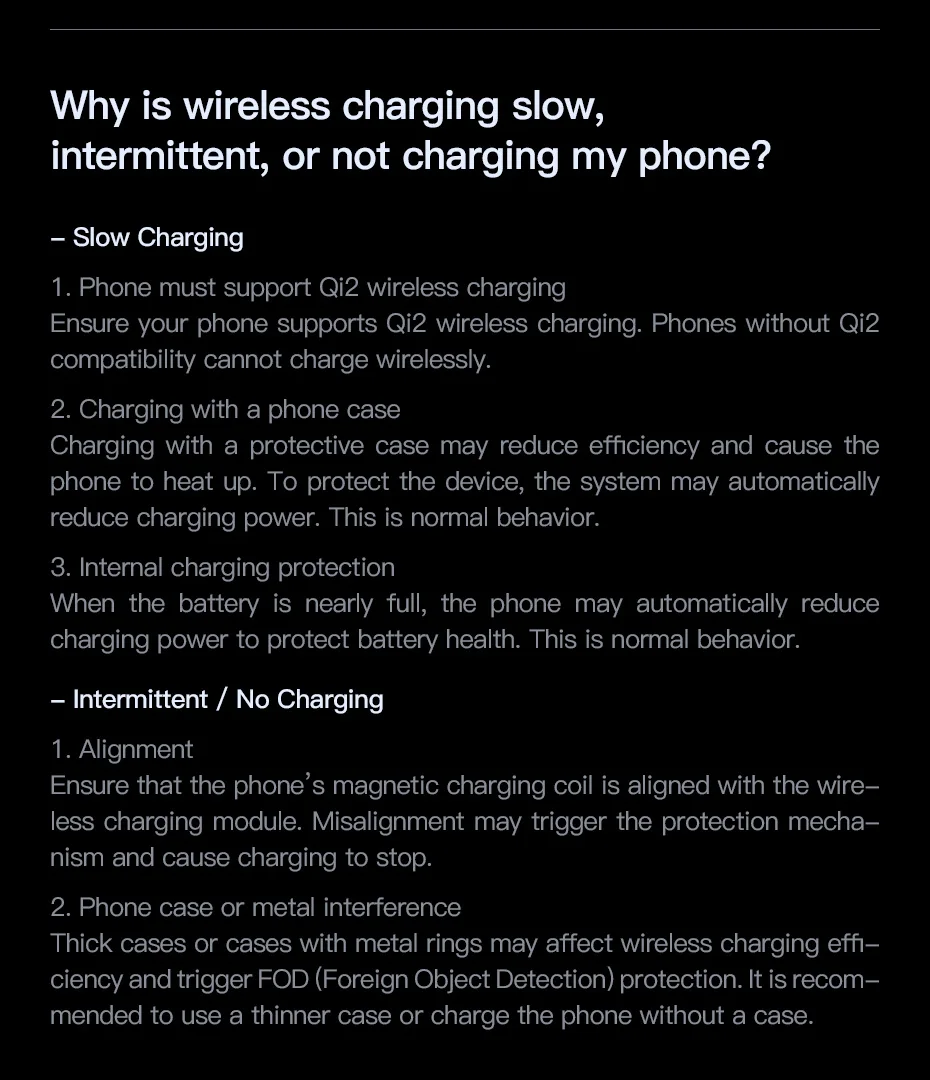
❓ Why is wireless charging slow, intermittent, or not charging my phone?
– Slow Charging
📢 1. Phone must support Qi2 • If your phone does not support Qi2, it will not be able to charge wirelessly.
📢 2. Charging with a case • Cases can reduce efficiency and generate heat. • To protect the device, the system may reduce charging power. • This is normal behavior.
📢 3. Internal charging protection • When the battery is almost full, the phone reduces power to protect its health. • This is normal behavior.
– Intermittent / No Charging
📢 1. Alignment • Ensure that the phone's charging coil is aligned with the Qi module. • Misalignment activates protection and stops charging.
📢 2. Interference from case or metal • Thick cases or those with metal rings can activate FOD (Foreign Object Detection). • It is recommended to use a thin case or charge without a case.
❓ What are the requirements to use this product?
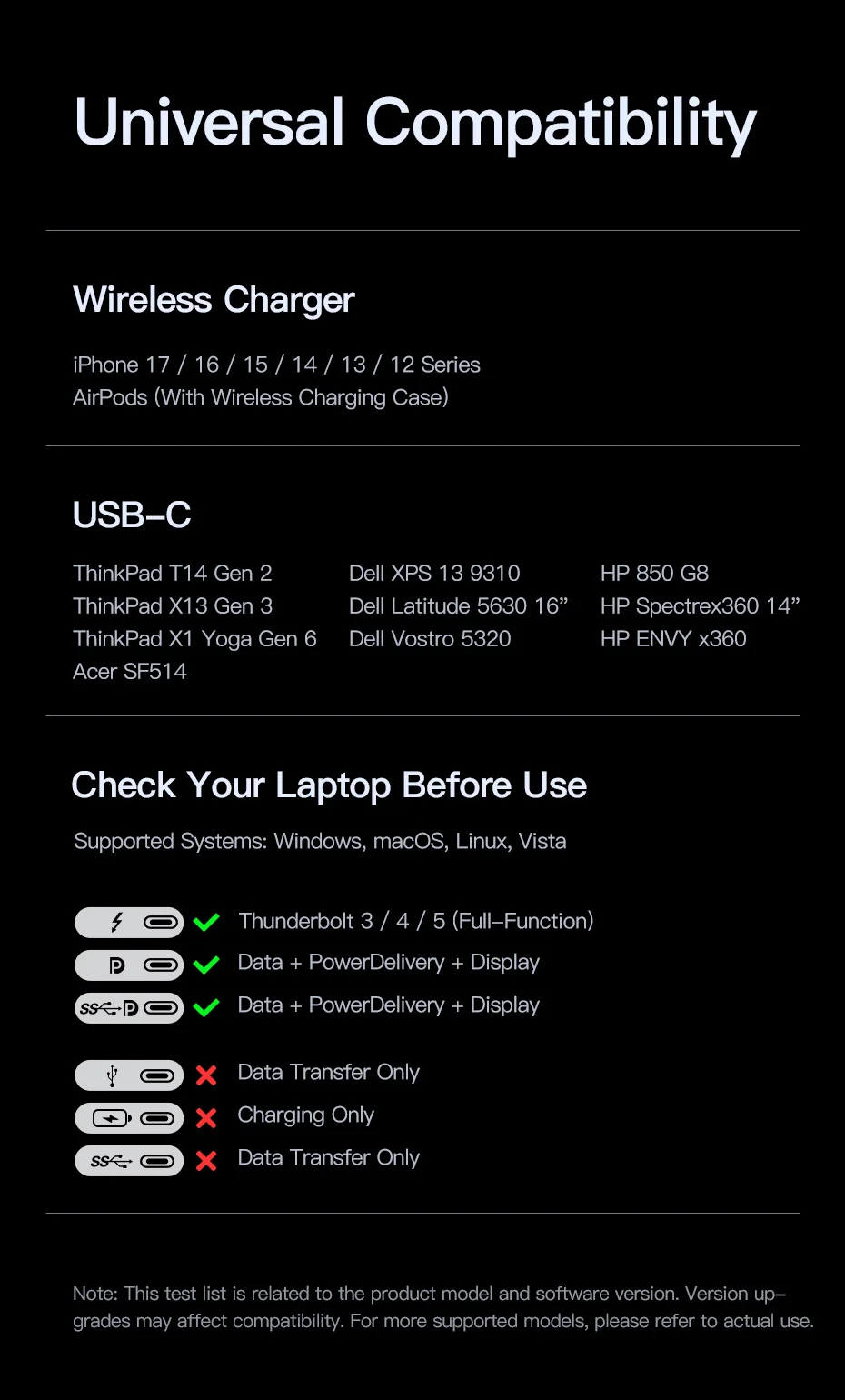
📢 Ensure that your device's USB-C port is full-function, meaning: • Charging • Data transfer • Video output
📢 Full-function USB-C port: • Supports charging, data, and video • Maximum speed: 10 Gbps (USB 3.2) • Backward compatible with USB 2.0/1.1 • Non-full-function ports may support only charging or only data.
❓ Why doesn't the HDMI port support screen casting?
📢 Select the correct HDMI input on your monitor/TV (e.g. LG → Settings → Input → HDMI 1/2). 📢 Configure the device according to the on-screen instructions for the desired resolution and refresh rate. 📢 Some non-standard monitors may be incompatible.
❓ Why is the screen resolution lower than advertised?
📢 This product supports DP 1.2 and 1.4, but the maximum resolution depends on your device's hardware: • Laptop • HDMI Cable • Monitor 📢 If your device does not support the advertised resolution, the hub cannot force it.
❓ Why does the product get hot during use?
📢 It includes charging and video ICs, which naturally generate heat. 📢 The casing has passed safety tests and meets temperature requirements for normal use.
❓ Why can't my Mac use multiple extended displays?
📢 On macOS, this product only supports multi-monitor mirroring. 📢 macOS does not support MST (Multi‑Stream Transport) for multiple extended displays.
❓ Why do several external hard drives fail to transfer data?
📢 Connecting multiple high-power mechanical drives or using the product at maximum load may exceed the power capacity, causing slowdowns or disconnections.
❓ Why don't some devices charge at maximum speed?
📢 Some devices use proprietary protocols incompatible with standard PD, such as certain Huawei and Xiaomi models.
❓ Why does the displayed charging power fluctuate?
📢 The power depends on the real-time battery status. 📢 The display shows dynamic data, not a fixed value.
❓ Why does my laptop show a slow charging warning?
📢 Some devices use private protocols. 📢 When charging with third-party products, a slow charging warning may appear. 📢 The actual speed is still normal and sufficient for non-gaming laptops.
❓ Why don't some mobile devices charge wirelessly?
📢 Check that your device supports Qi. 📢 This product only supports Qi, not proprietary wireless protocols.
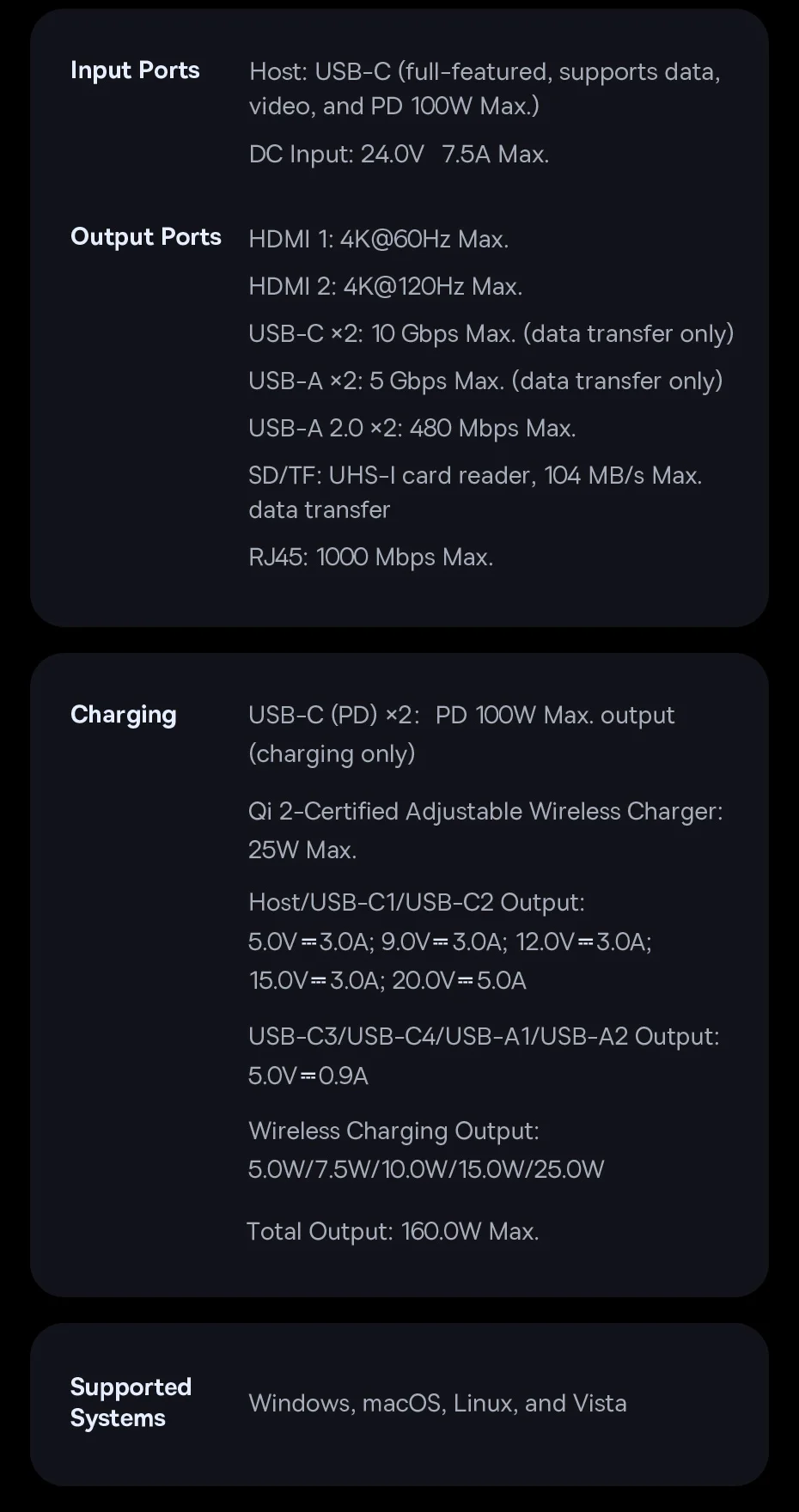
Product Parameters
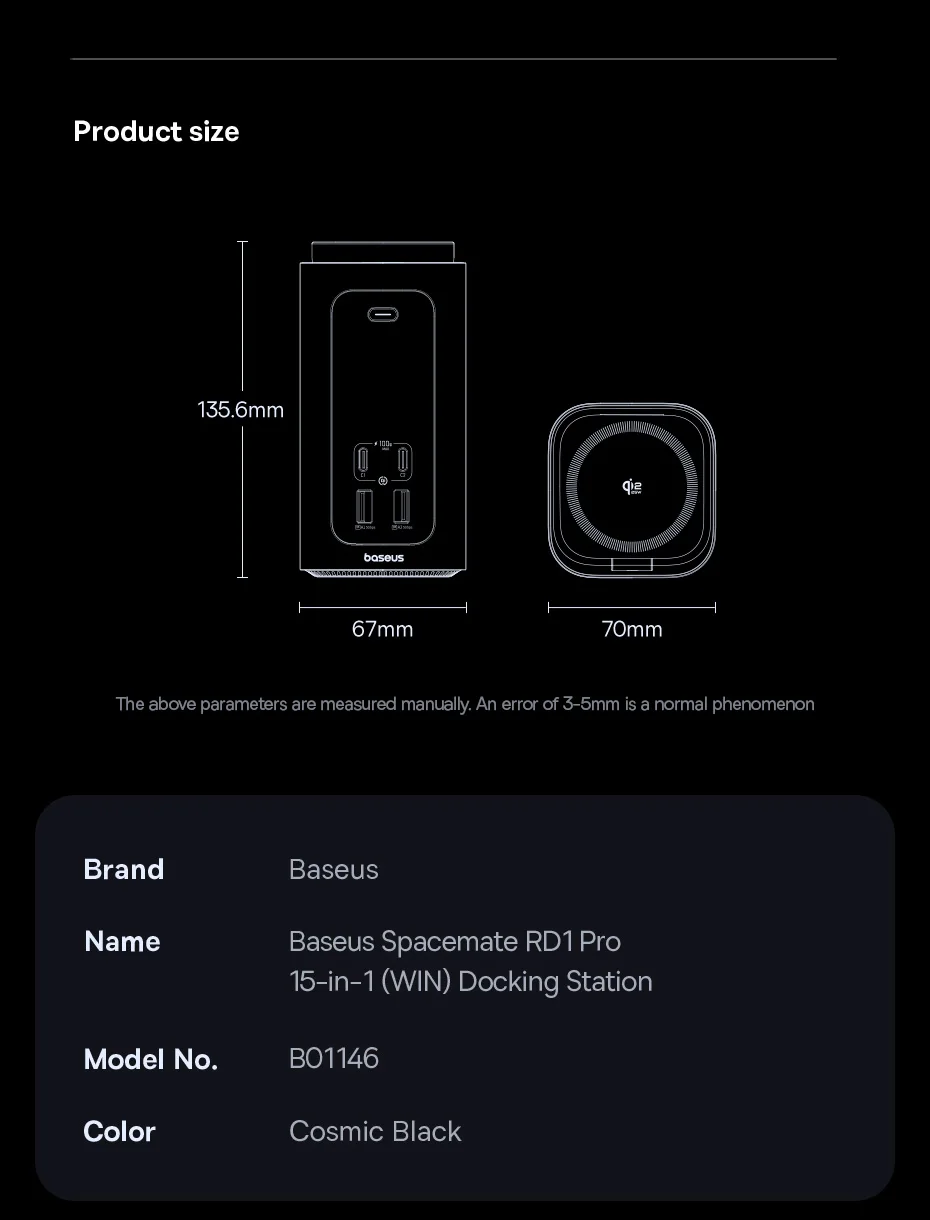
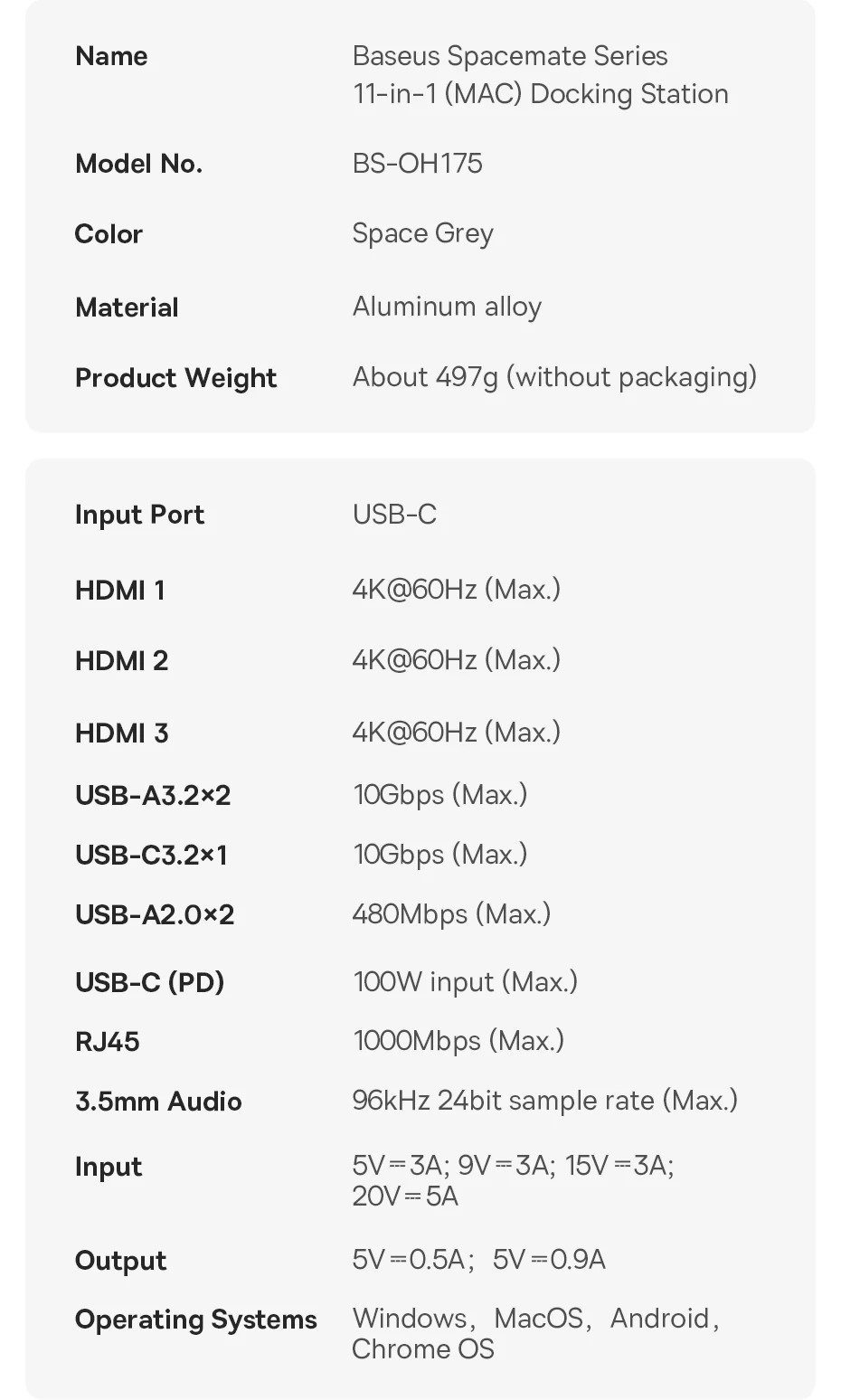
Brand: Baseus Name: Baseus Spacemate RD1 Pro 15‑in‑1 (WIN) Docking Station Model: B01146 Color: Cosmic Black
Input Ports
Host: USB‑C (full-featured, supports data, video, and PD 100W Max.) DC Input: 24.0V 7.5A Max.
Output Ports
HDMI 1: Up to 4K@60Hz HDMI 2: Up to 4K@120Hz
USB‑C ×2: Up to 10 Gbps (data transfer only) USB‑A ×2: Up to 5 Gbps (data transfer only) USB‑A 2.0 ×2: Up to 480 Mbps
SD/TF: UHS‑I reader, up to 104 MB/s RJ45: Up to 1000 Mbps (Gigabit)
Charging
USB‑C (PD) ×2: PD Output 100W Max. (charging only) Qi2 Certified Adjustable Wireless Charger: 25W Max.
Host / USB‑C1 / USB‑C2 Output: • 5.0V = 3.0A • 9.0V = 3.0A • 12.0V = 3.0A • 15.0V = 3.0A • 20.0V = 5.0A
USB‑C3 / USB‑C4 / USB‑A1 / USB‑A2 Output: • 5.0V = 0.9A
Wireless Charging Output: • 5.0W / 7.5W / 10.0W / 15.0W / 25.0W
Total Output: 160W Max.
Compatible Systems
Windows, macOS, Linux and Vista
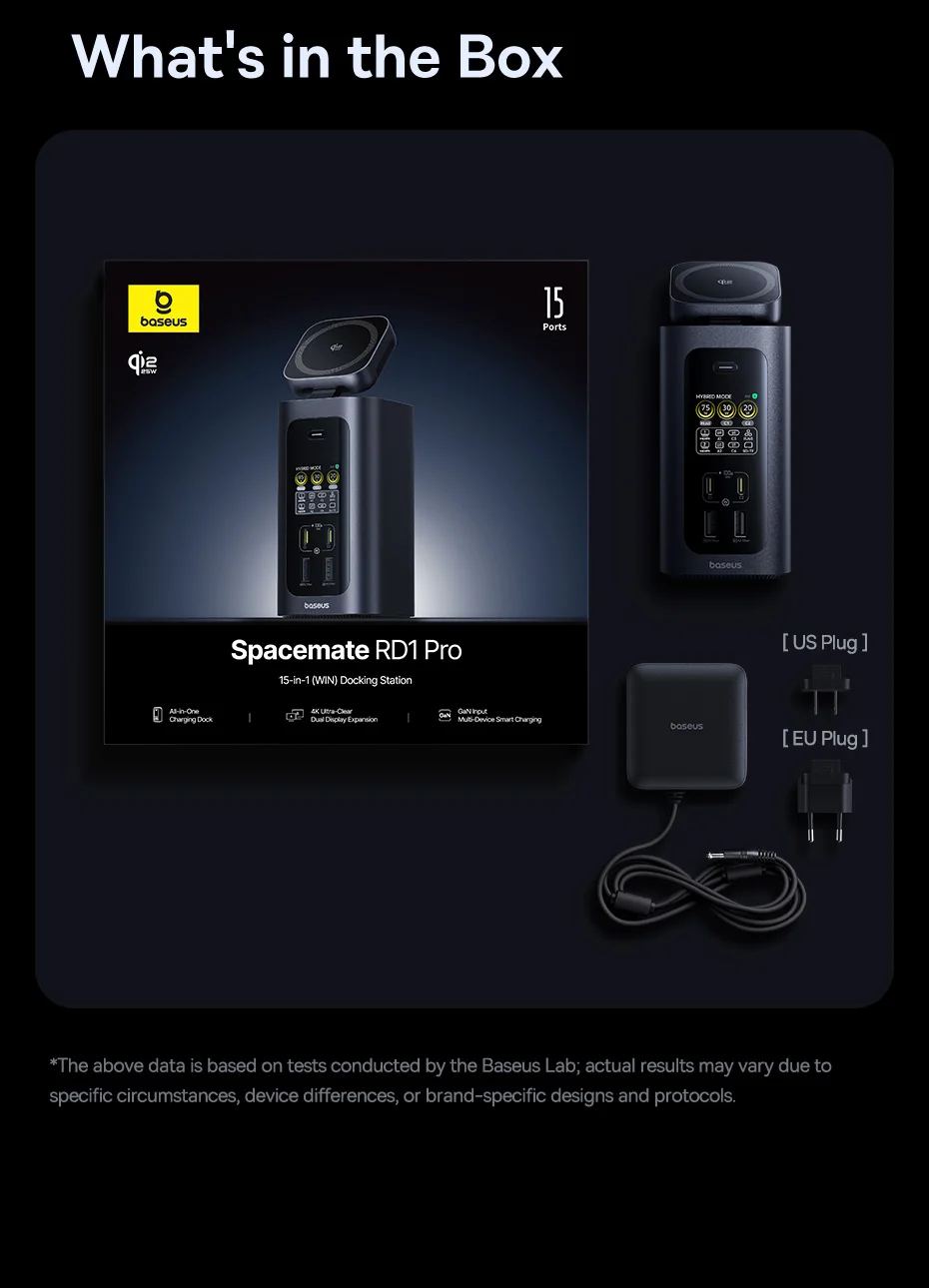
What's in the box
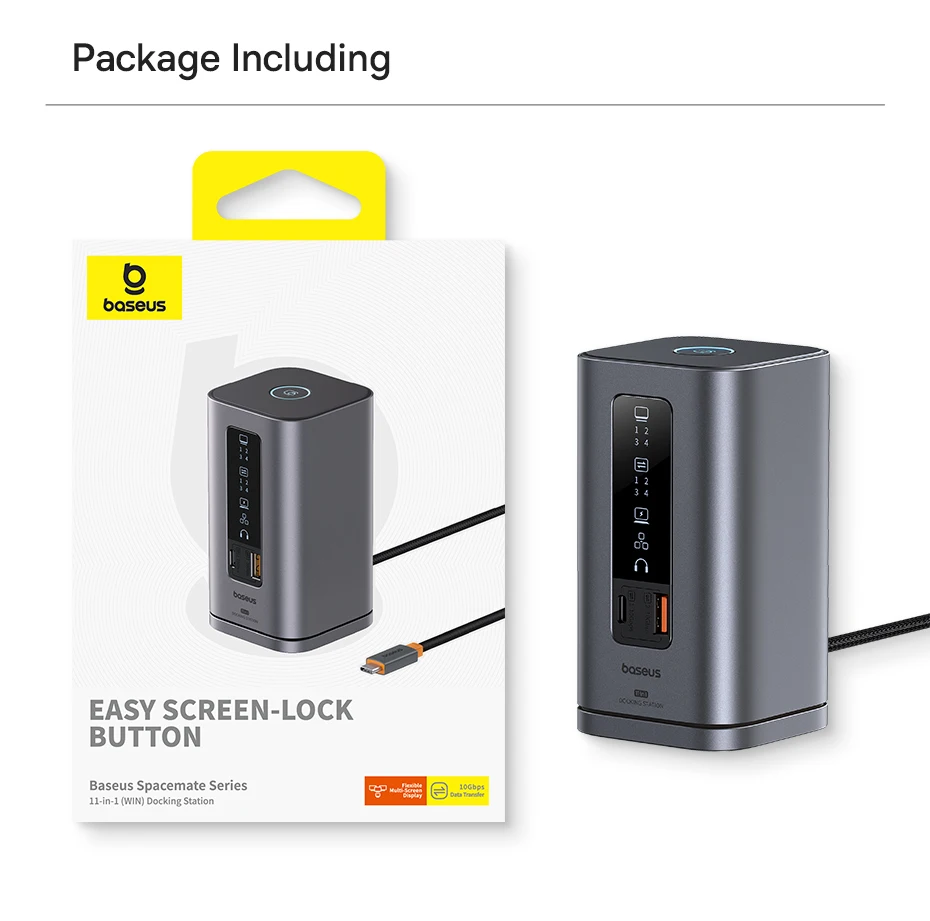
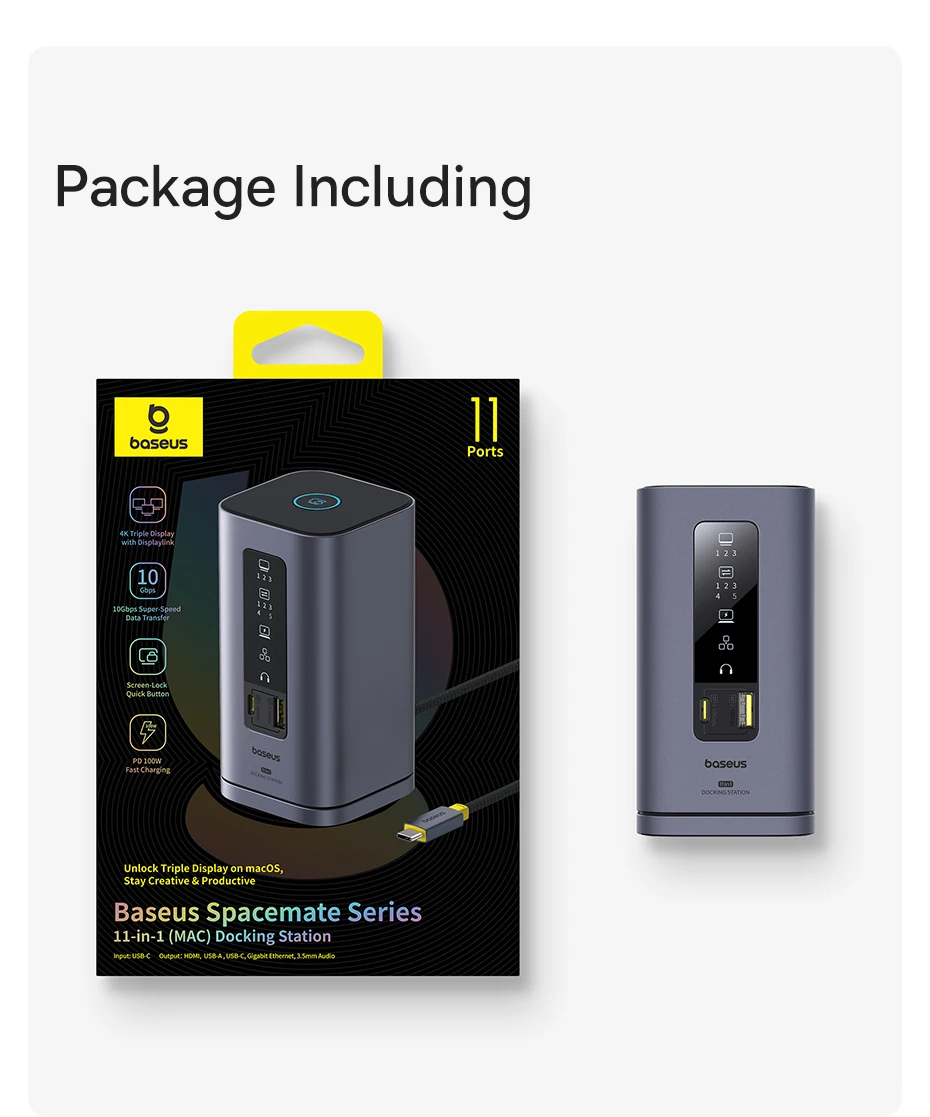
✅ 15‑in‑1 Docking Station ×1 ✅ 180W GaN Adapter ×1 ✅ Detachable US/EU Plugs ×1 ✅ 0.8m Full-Featured USB‑C Cable (supports data, video and power) ×1 ✅ User Manual ×1


You may also be interested in...